Insert links to Shopify products
Updated at 2026-07-26
If your project is connected to a Shopify store, you can search your catalog and drop product links straight into a reply — no need to open Shopify or copy URLs by hand.
Insert a product link
- Open a conversation that belongs to a Shopify-connected project.
- In the composer, type
/p— the product search menu opens. - Type a product name (for example, bamboo scarf) and wait a moment for the results to load.
- Click a product (or highlight it and press Enter) to insert it.
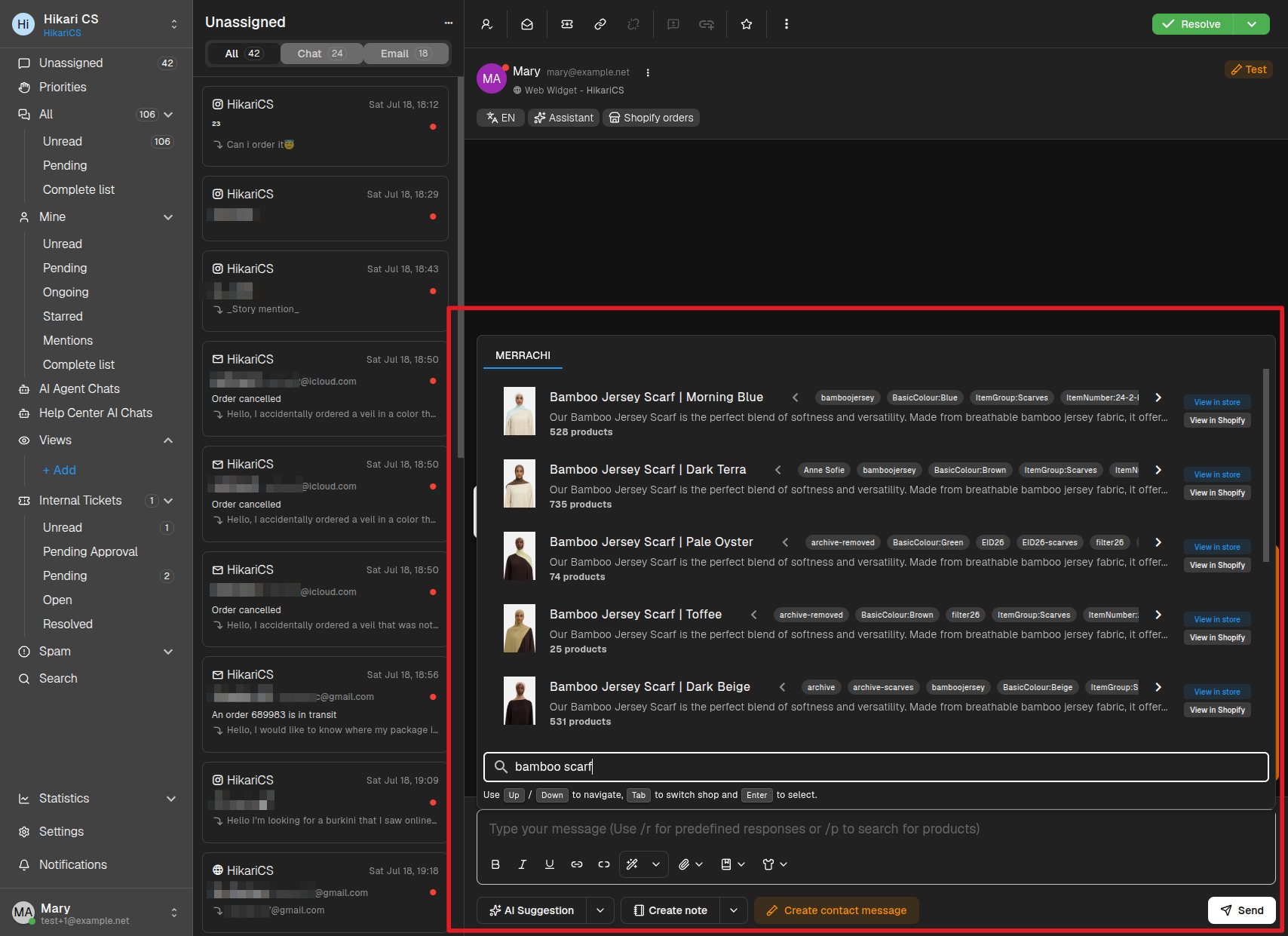
Useful keys and options while the menu is open:
- Up / Down — Move through the results.
- Tab — Switch between connected shops.
- Enter — Insert the selected product.
- Esc — Close the menu.
- View in store / View in Shopify — Open the product page or its Shopify admin page in a new tab.
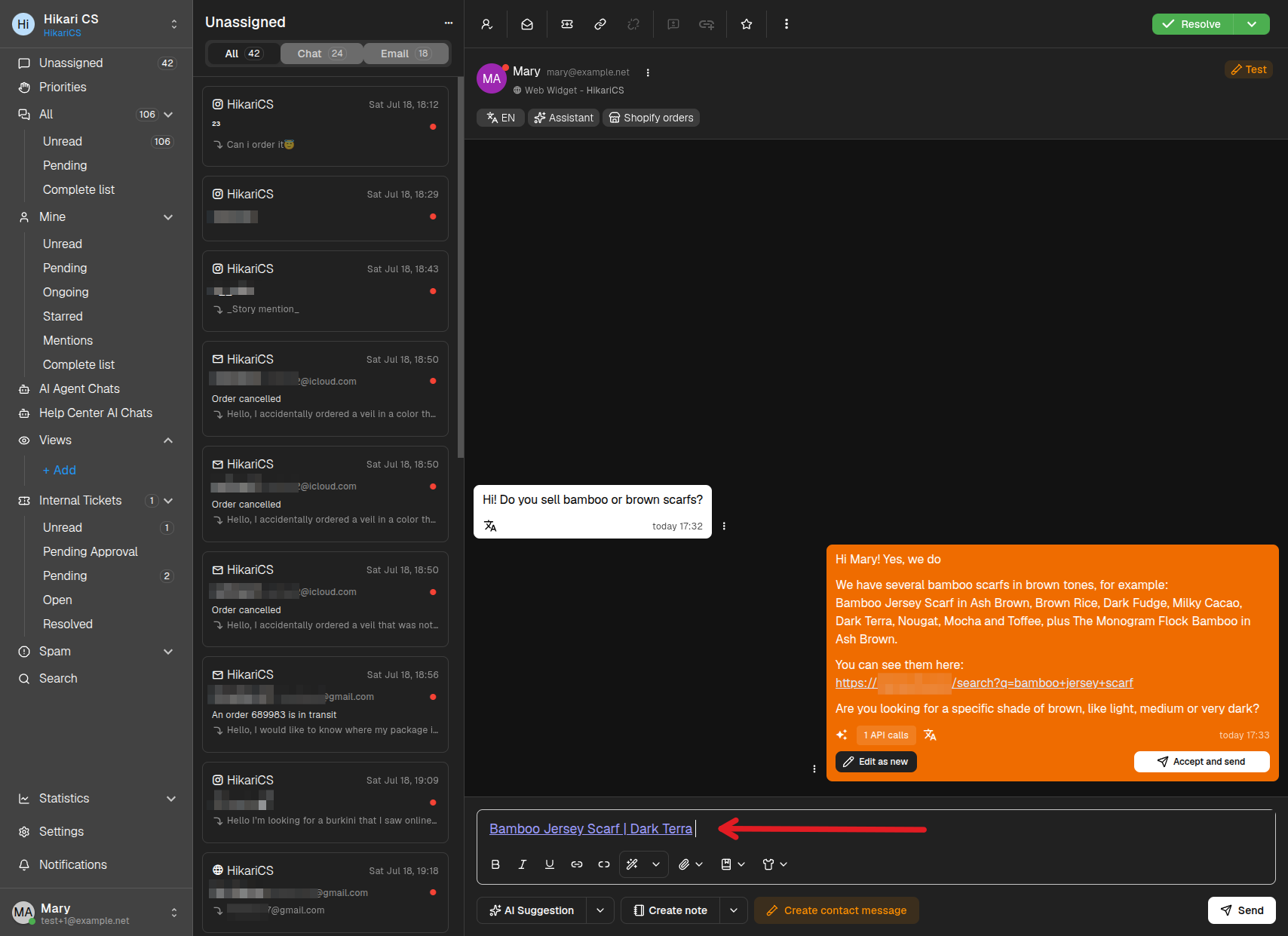
The product is inserted as a link with the product title, ready to send as-is or to combine with your own text.
This feature requires at least one Shopify store connected to the project. You can connect stores in Settings > Projects > Integrations > Shopify stores.