Configure auto-responder
Updated at 2026-07-26
The auto-responder sends an automatic email reply when your team is handling a high volume of incoming messages. It lets customers know their message has been received and sets expectations for a response.
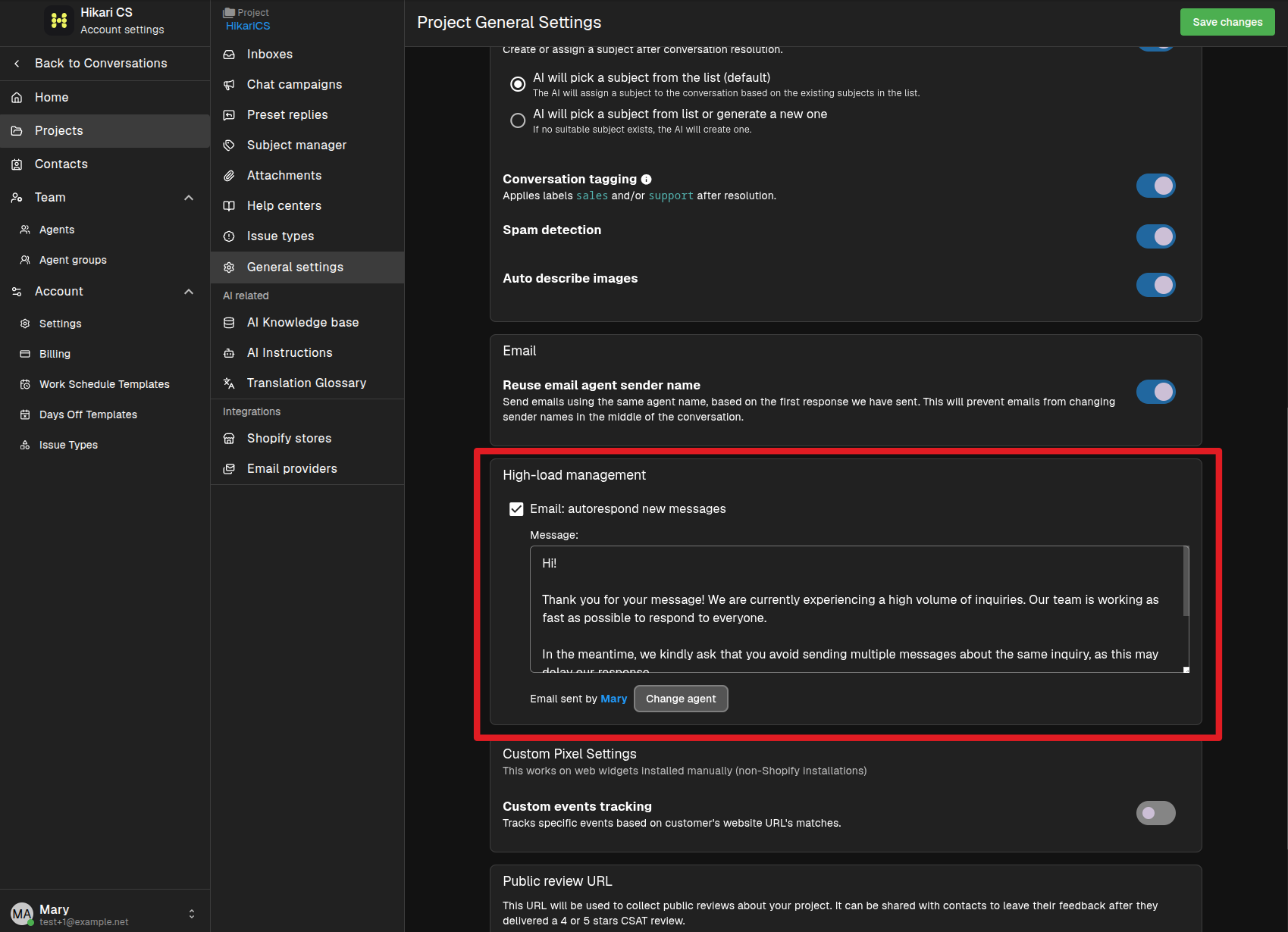
Enable the auto-responder
- Go to Settings > Projects and select your project.
- Open General settings.
- Find the High-load management section.
- Check Email: autorespond new messages.
When it is used
The auto-responder is designed for high-load situations. It only applies to new email messages, so it will not trigger on chat or other channels.
Make sure your project is configured to receive email before enabling this option. The auto-responder works together with your email provider settings.