How to show FAQ articles in live chat widget
Updated at 2026-07-26
You can display helpful articles on the live chat widget start page so visitors can find answers before starting a conversation.
Mark an article as visible in the widget
Create or edit an article in your Help Center. In the article settings, turn on Visible in widget's home page?.
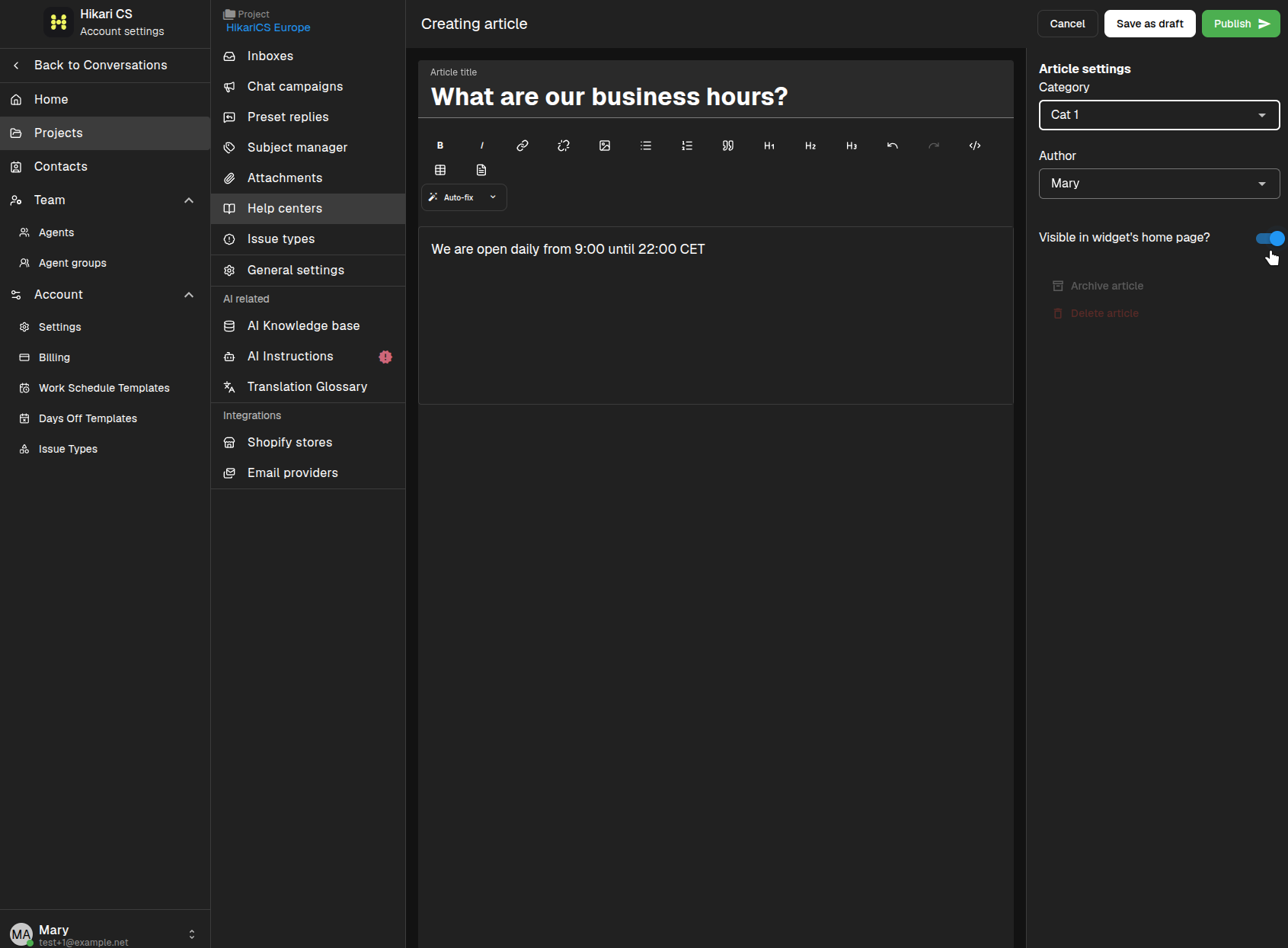
Published articles with this option enabled appear on the widget start page.
Where the articles appear
Open the live chat widget preview from Inboxes > Web widget > Preview, then click Open widget. The FAQ articles are listed on the widget start page.
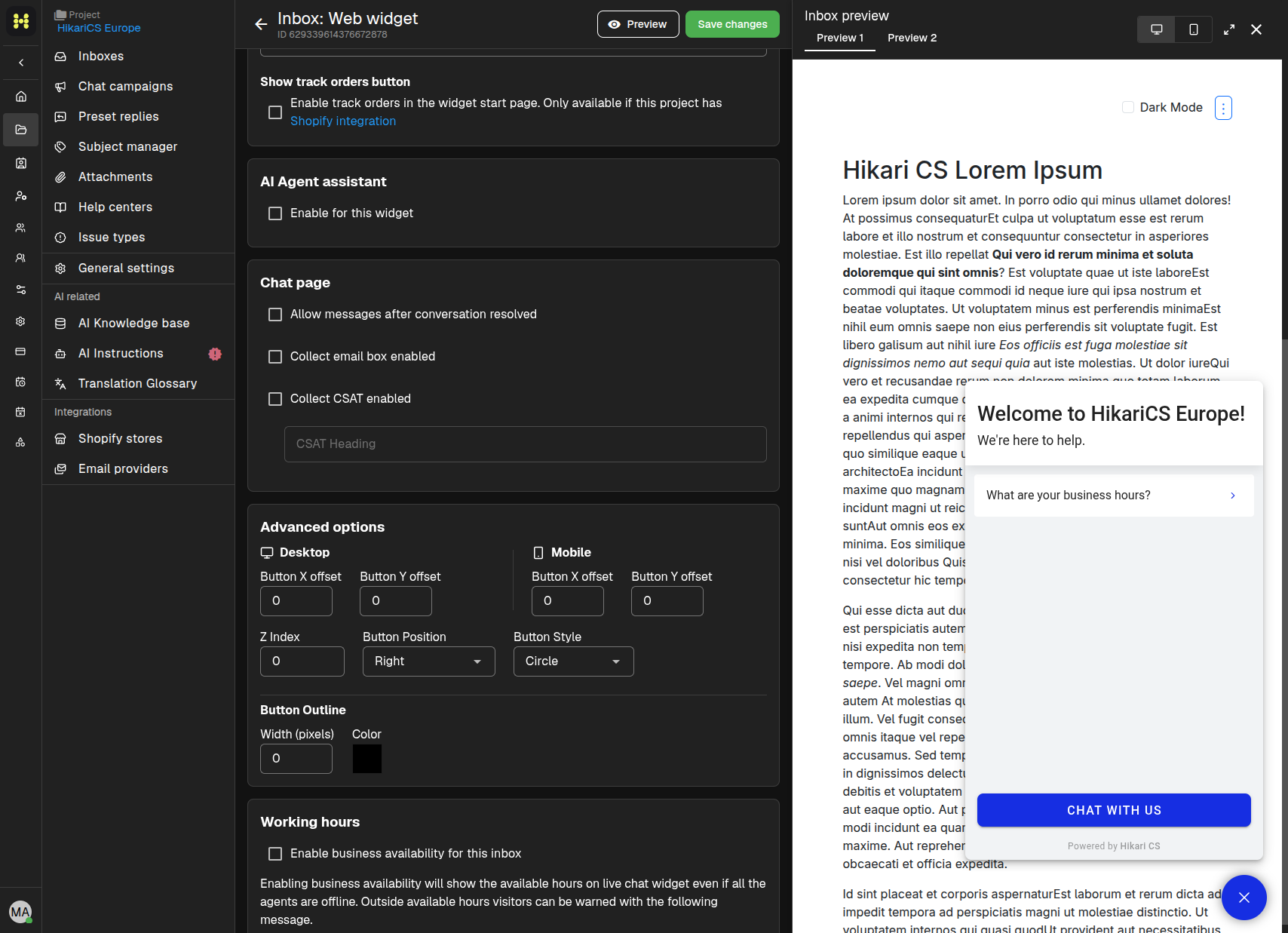
Visitors can click an article to read it, or tap CHAT WITH US to start a conversation.
For other widget appearance options, see How to customize your live chat widget in the Live Chat category.
Summary
- Edit a Help Center article and enable Visible in widget's home page?.
- Published articles with this option appear on the live chat widget start page.
- Combine hidden categories with widget visibility to show FAQs only in the widget.