How to run a test conversation with your AI Agent standalone bot
Updated at 2026-07-26
You can test your AI Agent standalone bot before it goes live by using the built-in preview chat.
Enable the AI Agent first
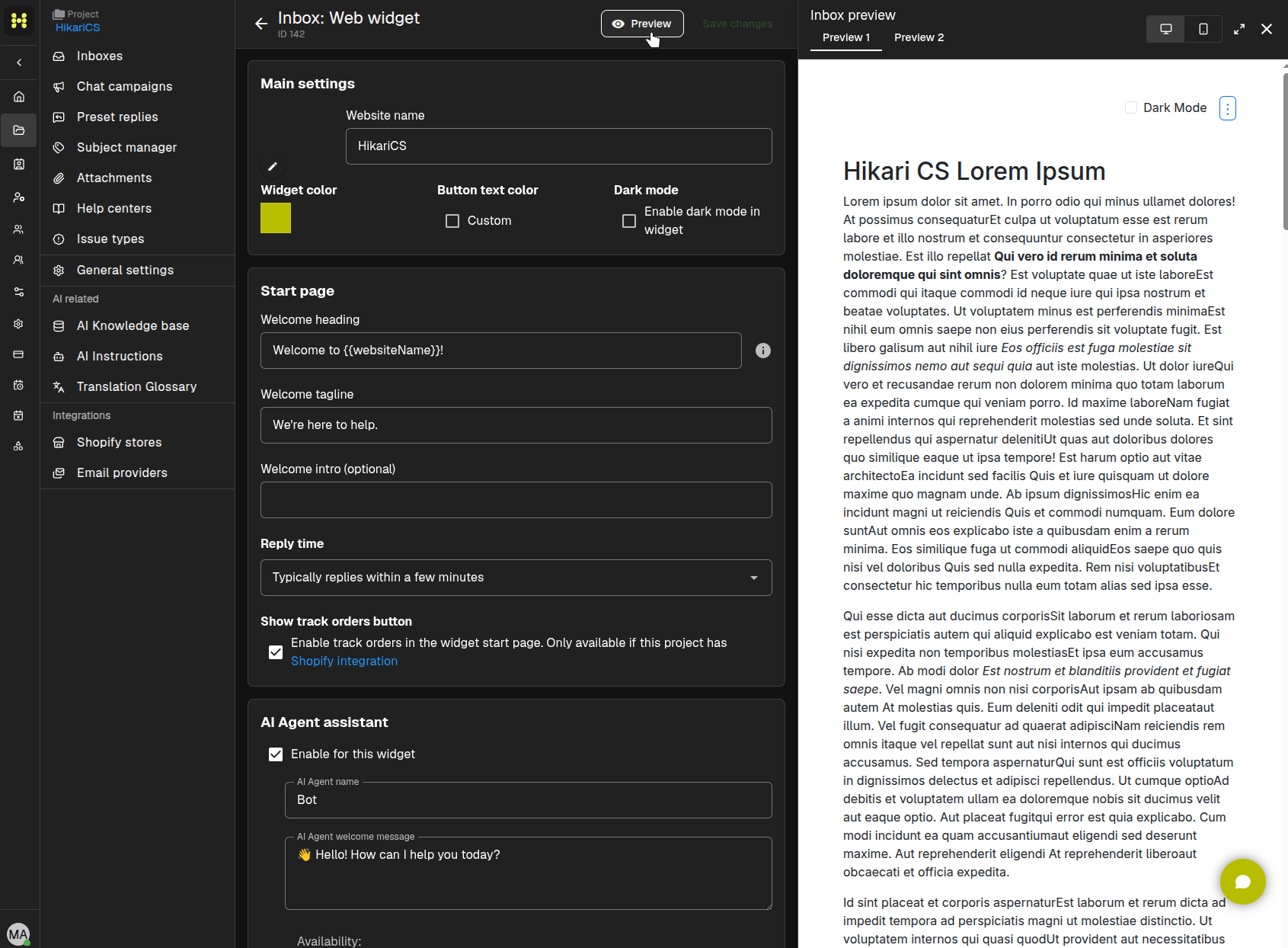
Make sure the AI Agent assistant is enabled in your website widget inbox settings. If it is not enabled, the preview will not show the bot.
Open the preview
In the website widget settings, click Preview. A drawer opens showing how the widget looks on a sample page.
Start a test chat
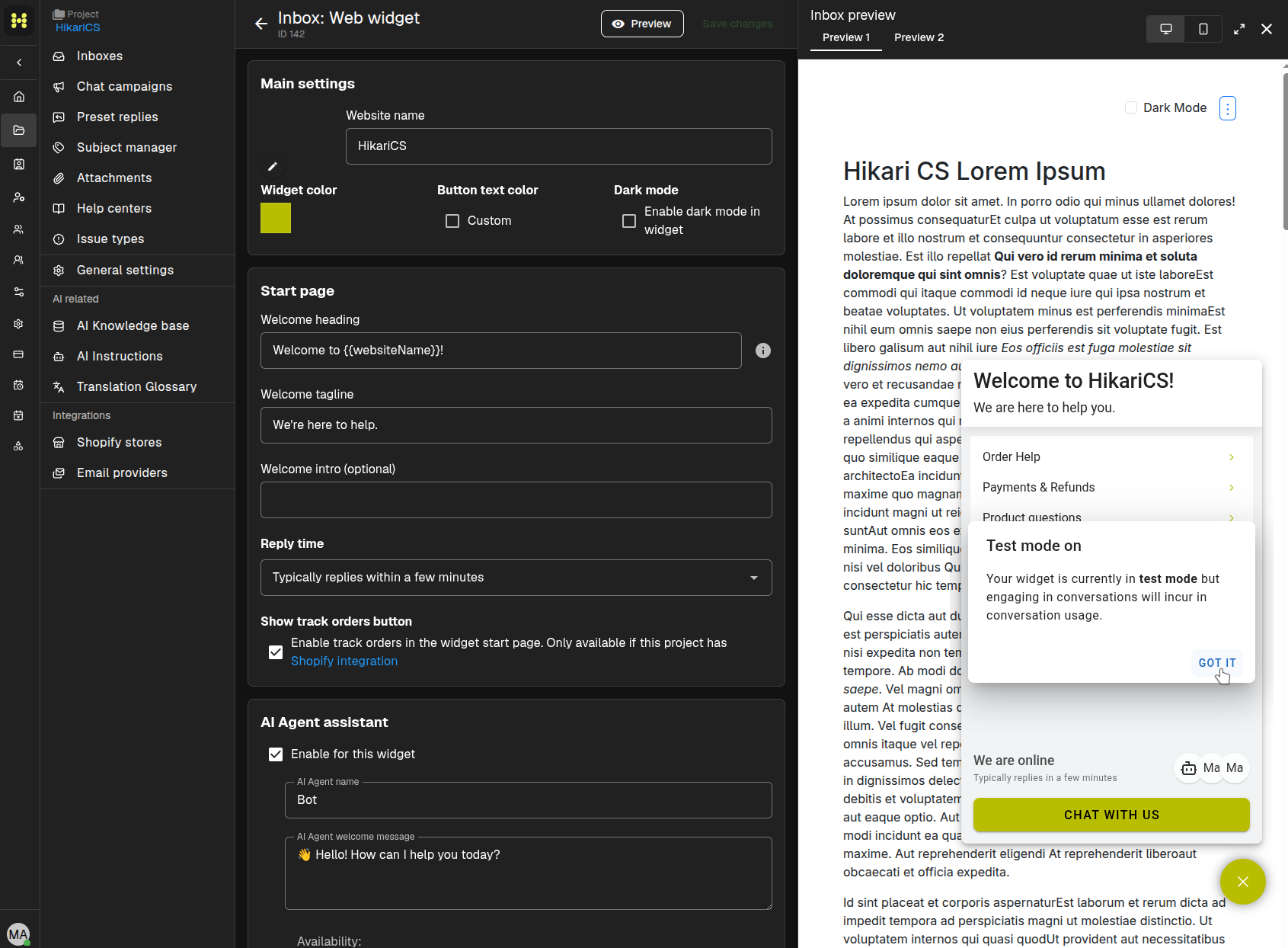
Click Open widget or the chat button to start a conversation.
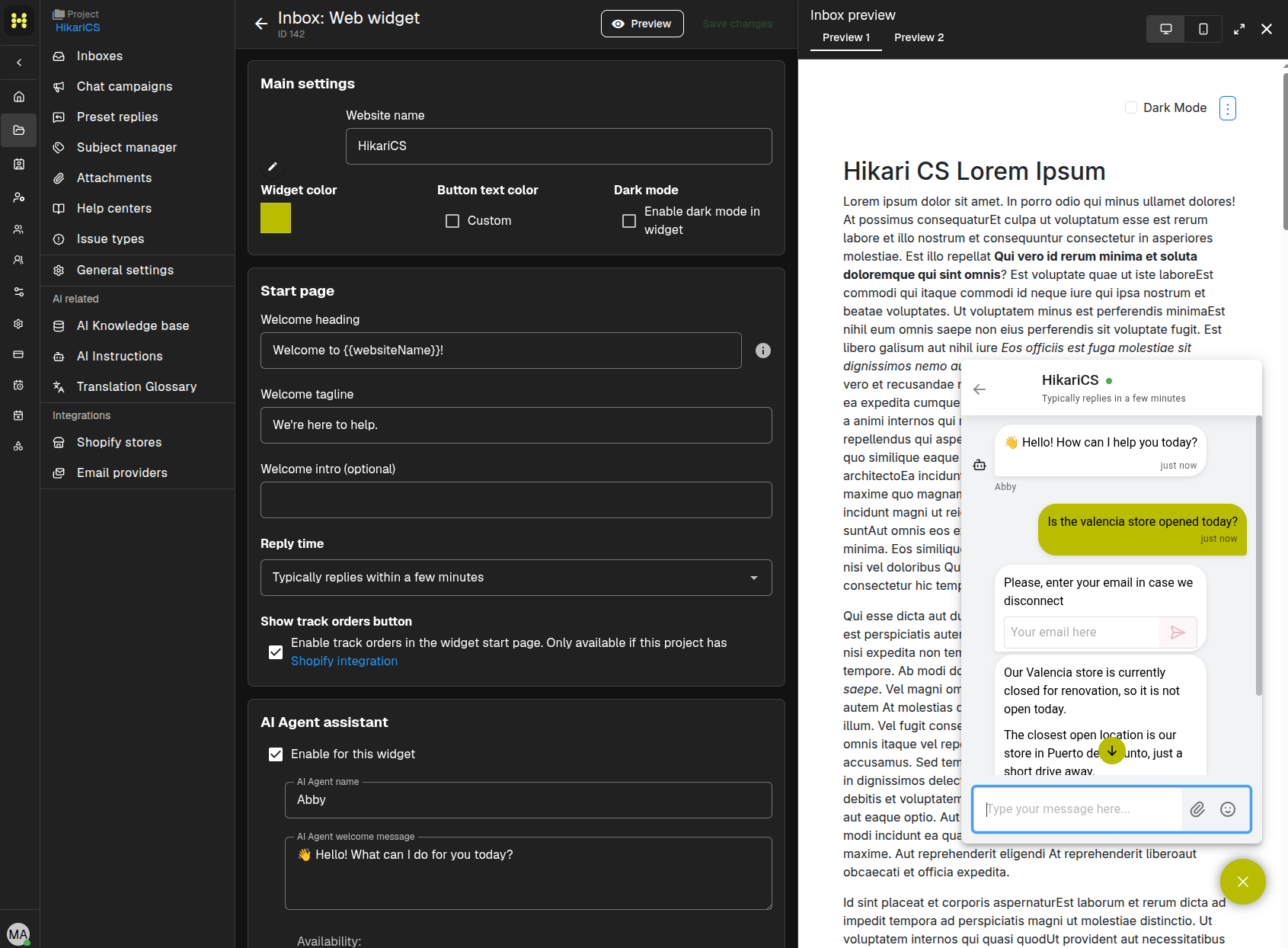
Type a question as if you were a visitor. The AI Agent will reply based on the project's AI Instructions and AI knowledge base.
Refine the bot
If the replies are not what you expect, adjust the AI Instructions or add more articles to the AI knowledge base, then run the preview again.
Summary
- Enable the AI Agent in the website widget inbox.
- Click Preview to open a test conversation.
- Ask questions and review the bot's replies.
- Improve answers by updating AI Instructions and the AI knowledge base.