How to create articles and categories
Updated at 2026-07-26
Help Center articles are grouped into categories. Before adding an article, you must create at least one category.
Open the Articles page
From the Help Centers list, click Articles on the Help Center you want to manage.
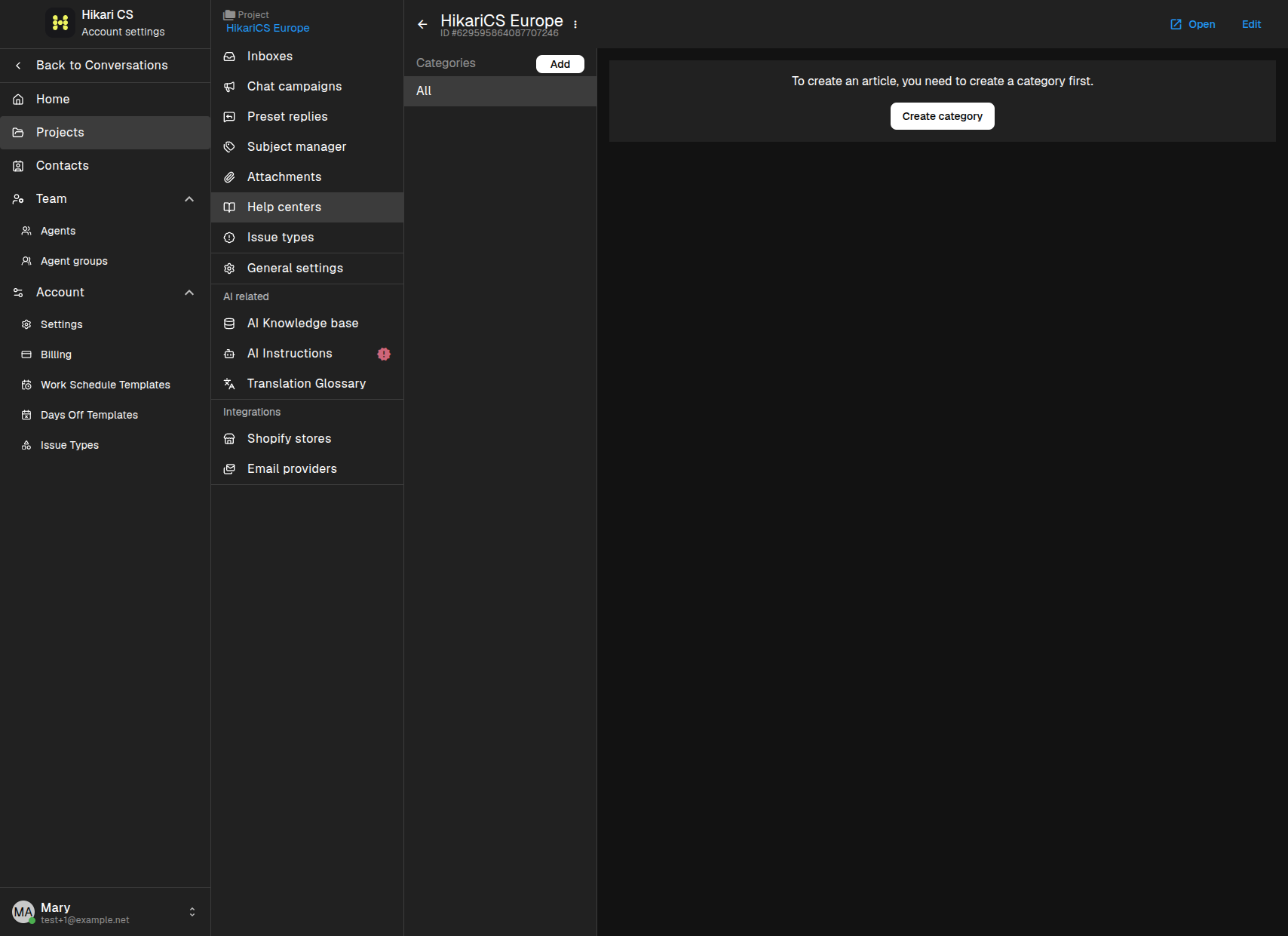
If no categories exist yet, the page shows a Create category button.
Create a category
Click Create category. Enter a Name and a Description. The description helps visitors understand what the category covers.
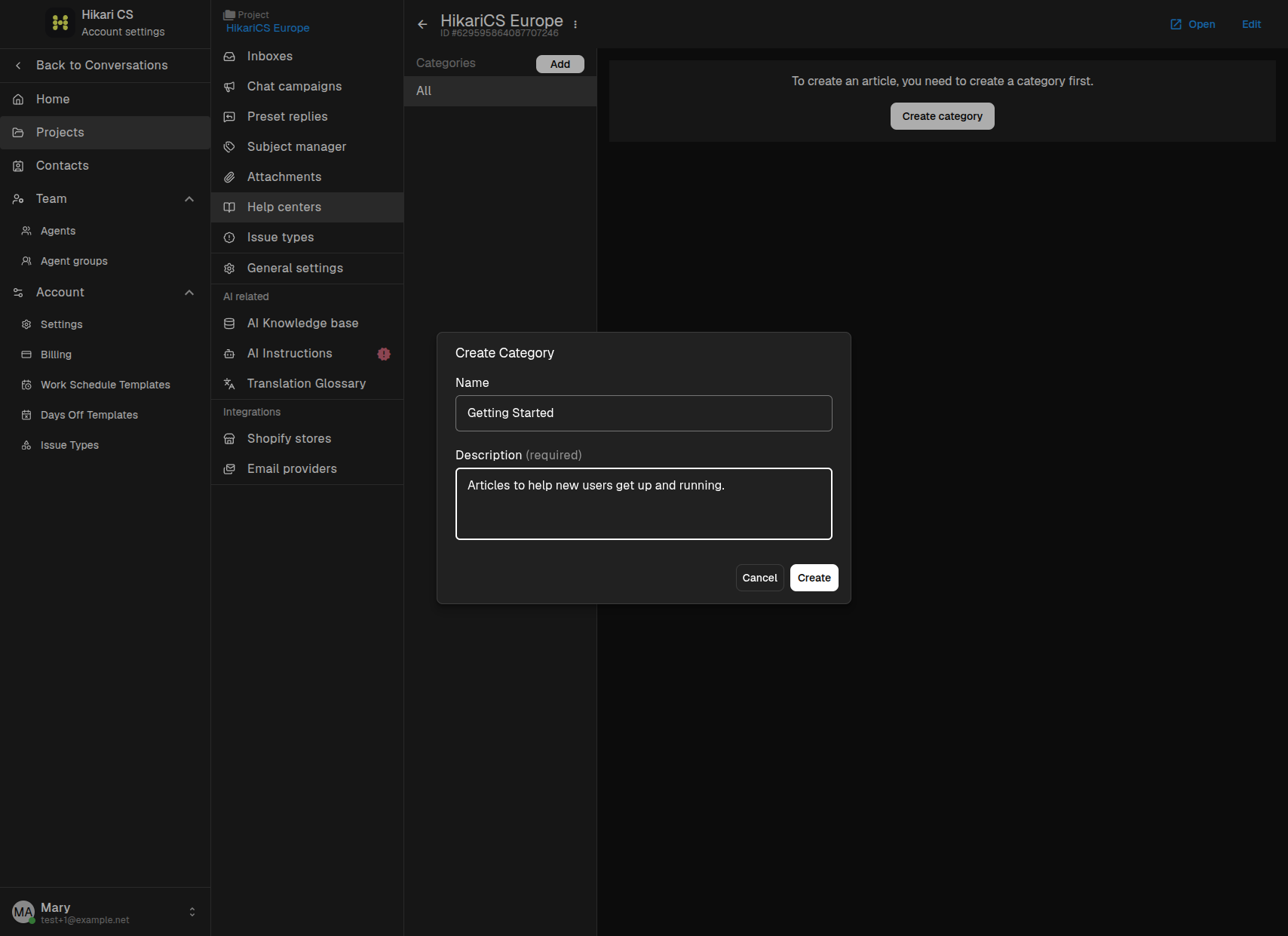
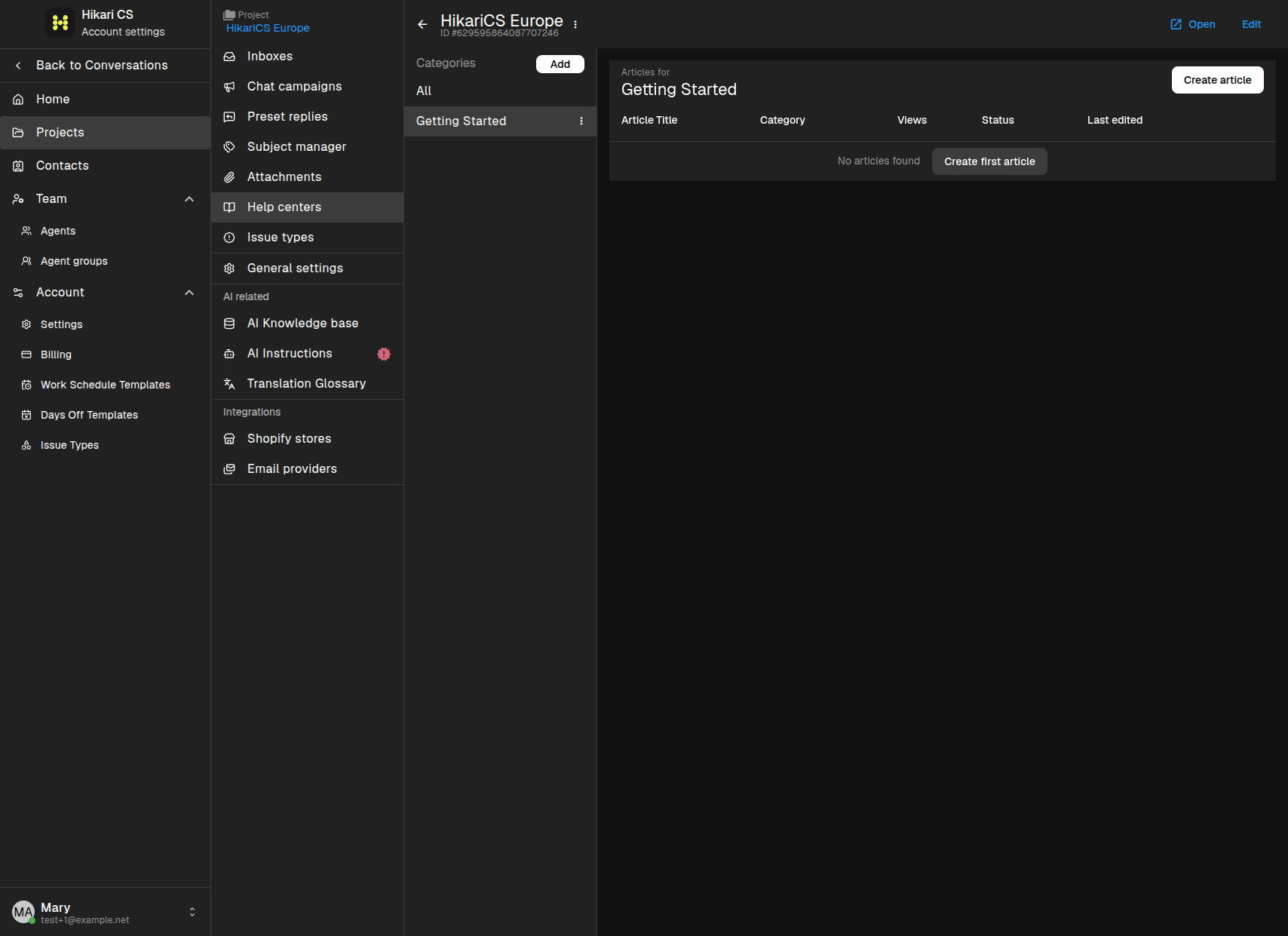
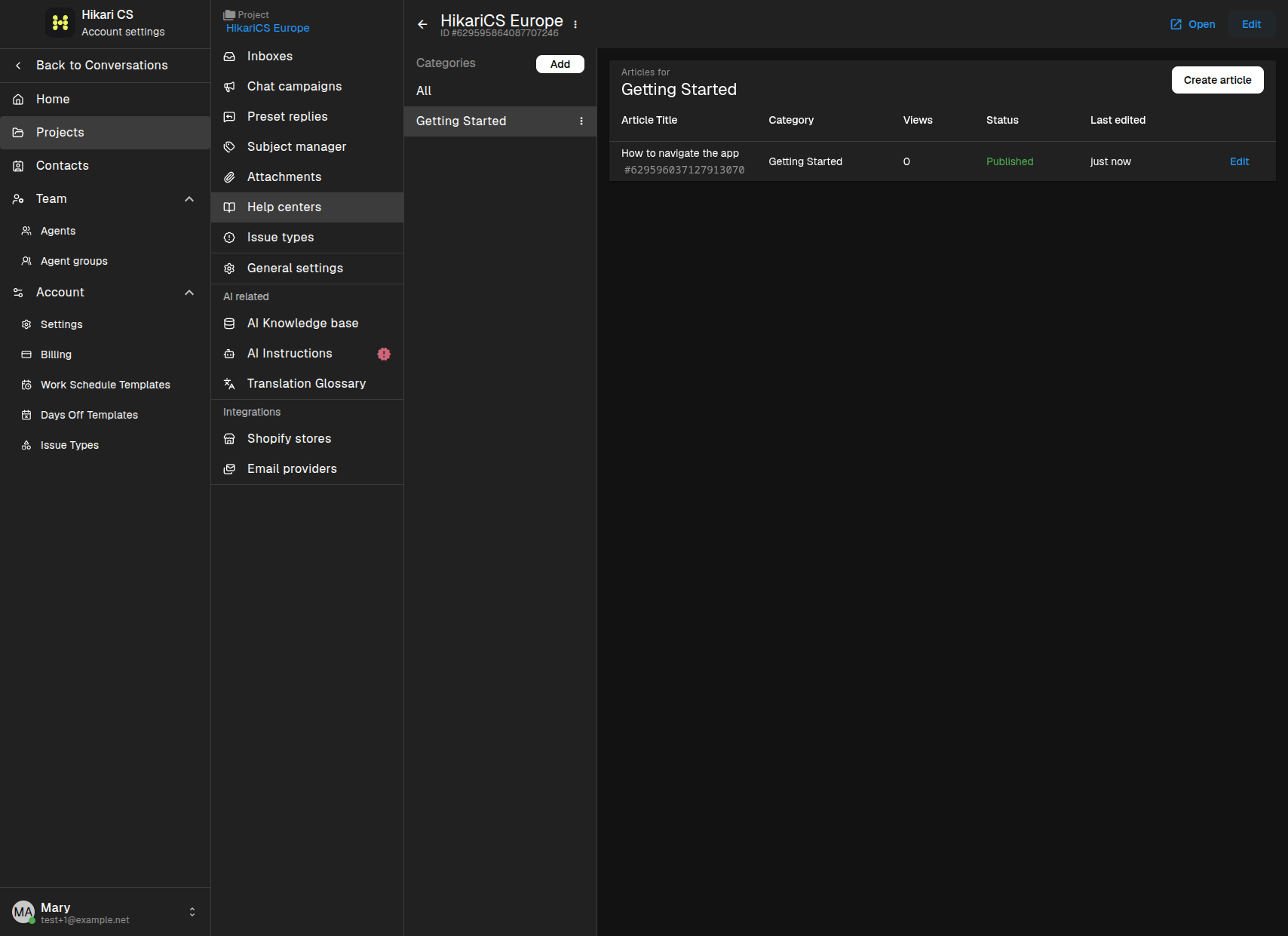
Click Create. The category appears in the left sidebar.
Create an article
Select the category and click Create article (or Create first article if the category is empty).
In the article editor:
- Enter an Article title.
- Write the article body in the rich text editor.
- Choose the Category from the sidebar.
- Choose an Author.
- Toggle Visible in widget's home page? if you want the article to appear on the live chat widget start page.
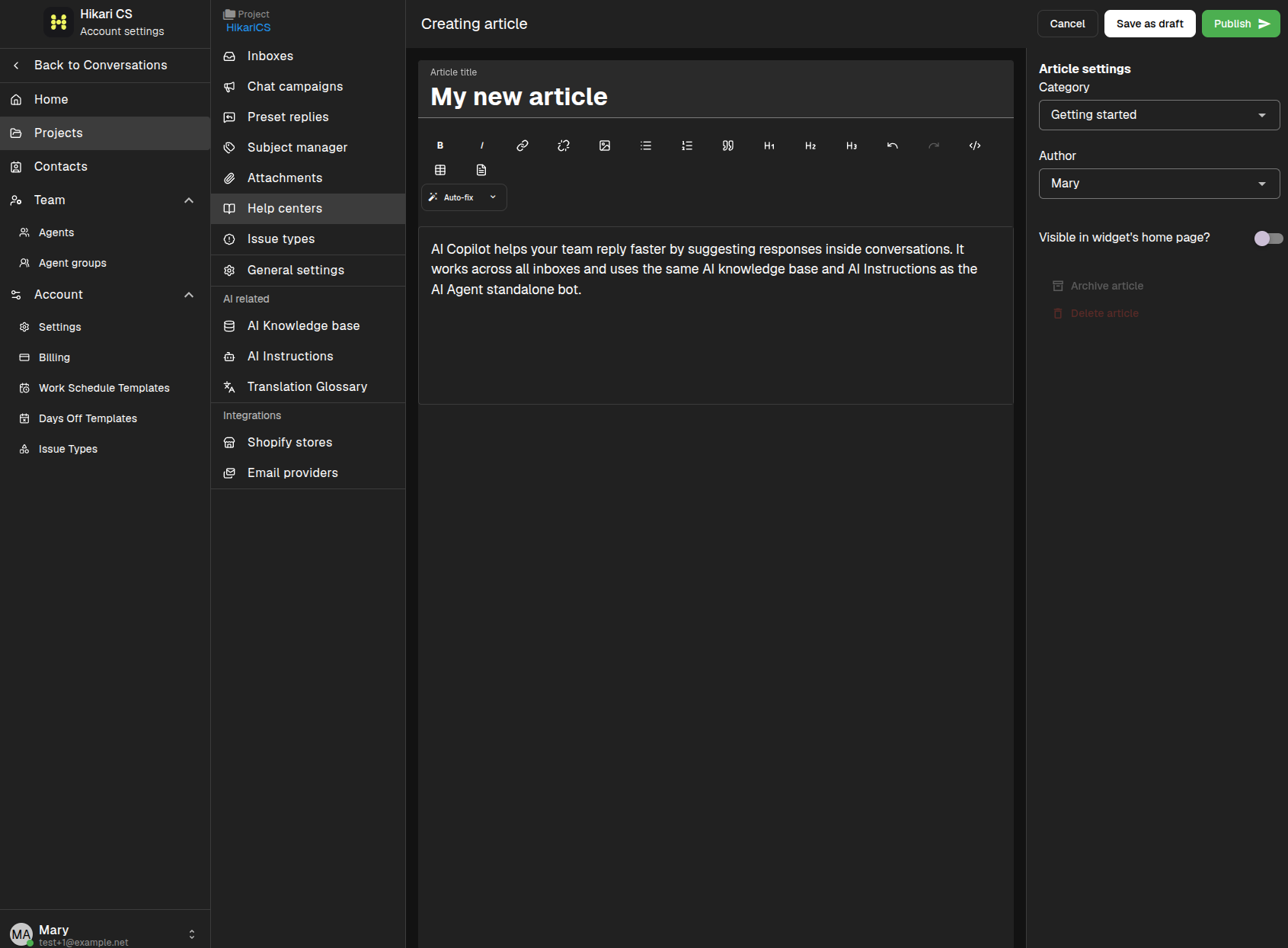
Click Publish to make the article visible to visitors. You can also click Save as draft to keep working on it later.
Summary
- Open your Help Center and click Articles.
- Create a category first, then create articles inside it.
- Use the article settings to choose the category, author, and widget visibility.
- Publish when the article is ready.