How to configure the AI Agent standalone bot
Updated at 2026-07-26
The AI Agent standalone bot can automatically answer visitor questions on your website widget. Each project can have its own bot because the AI Agent is tied to a website widget inbox.
The bot uses two sources of knowledge:
- AI knowledge base — articles you create in the project settings.
- AI Instructions — extra guidance you provide in the project general settings.
Open the Inboxes page
Go to your project settings and open the Inboxes page.
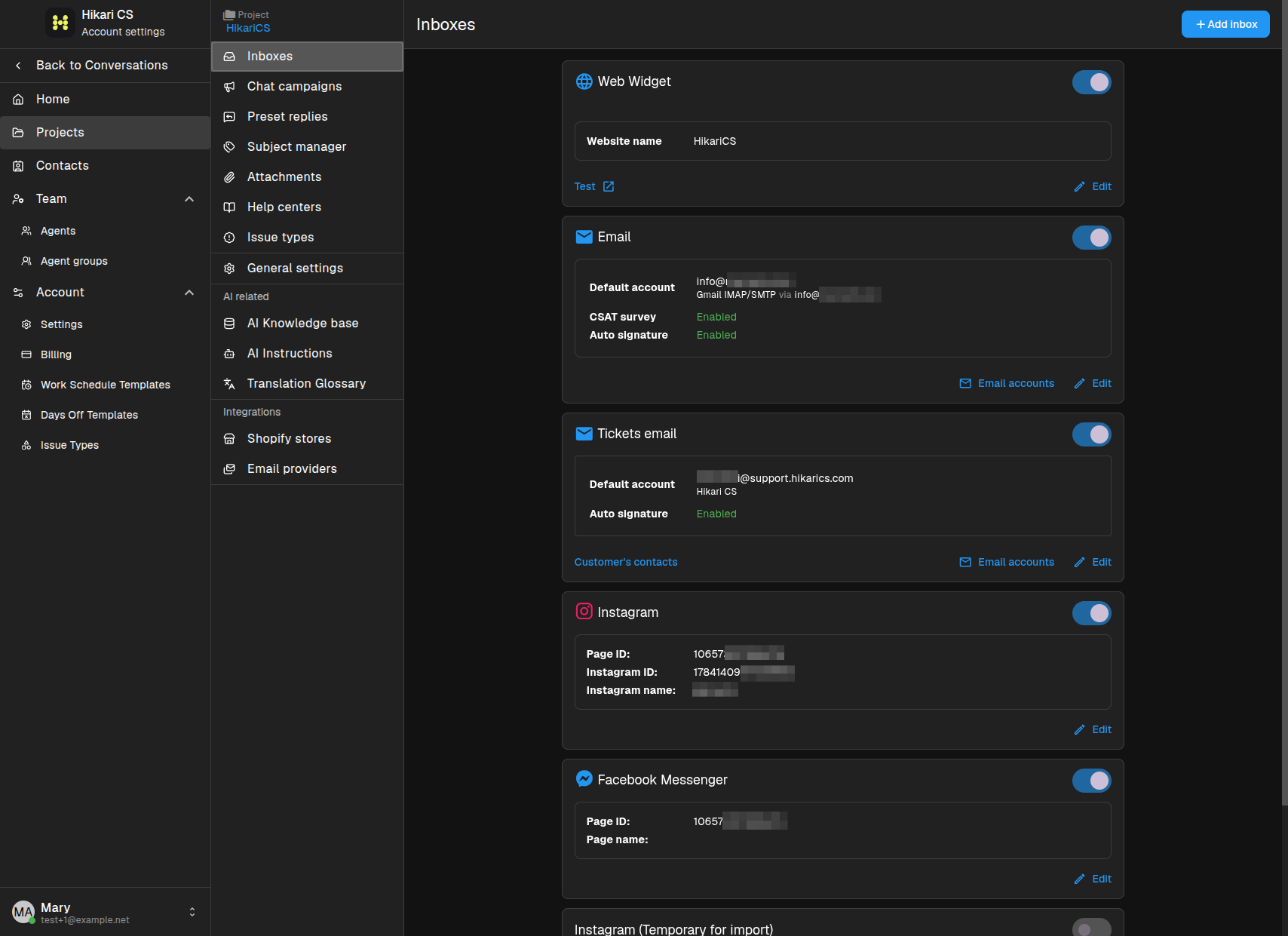
Edit the website widget
The AI Agent standalone bot is configured inside a Website widget inbox. Click Edit on the widget you want to enable the bot for.
Enable the AI Agent assistant
In the widget settings, find the AI Agent assistant section and enable it.
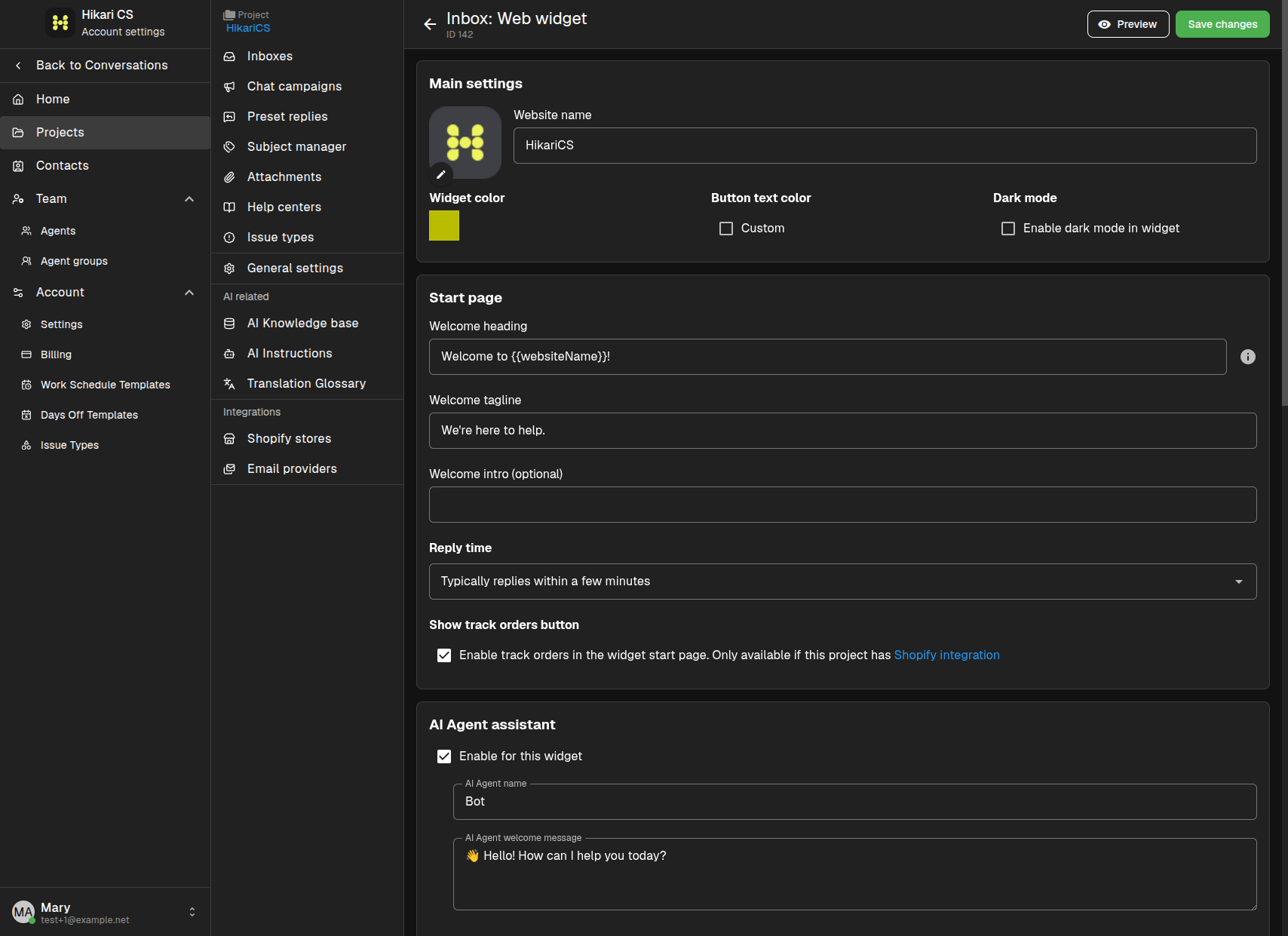
When the AI Agent is enabled, visitors who open the widget will talk to the bot first. Save your changes.
Configure AI Instructions
The bot follows the project's AI Instructions. Go to your project and click on the AI instructions menu.
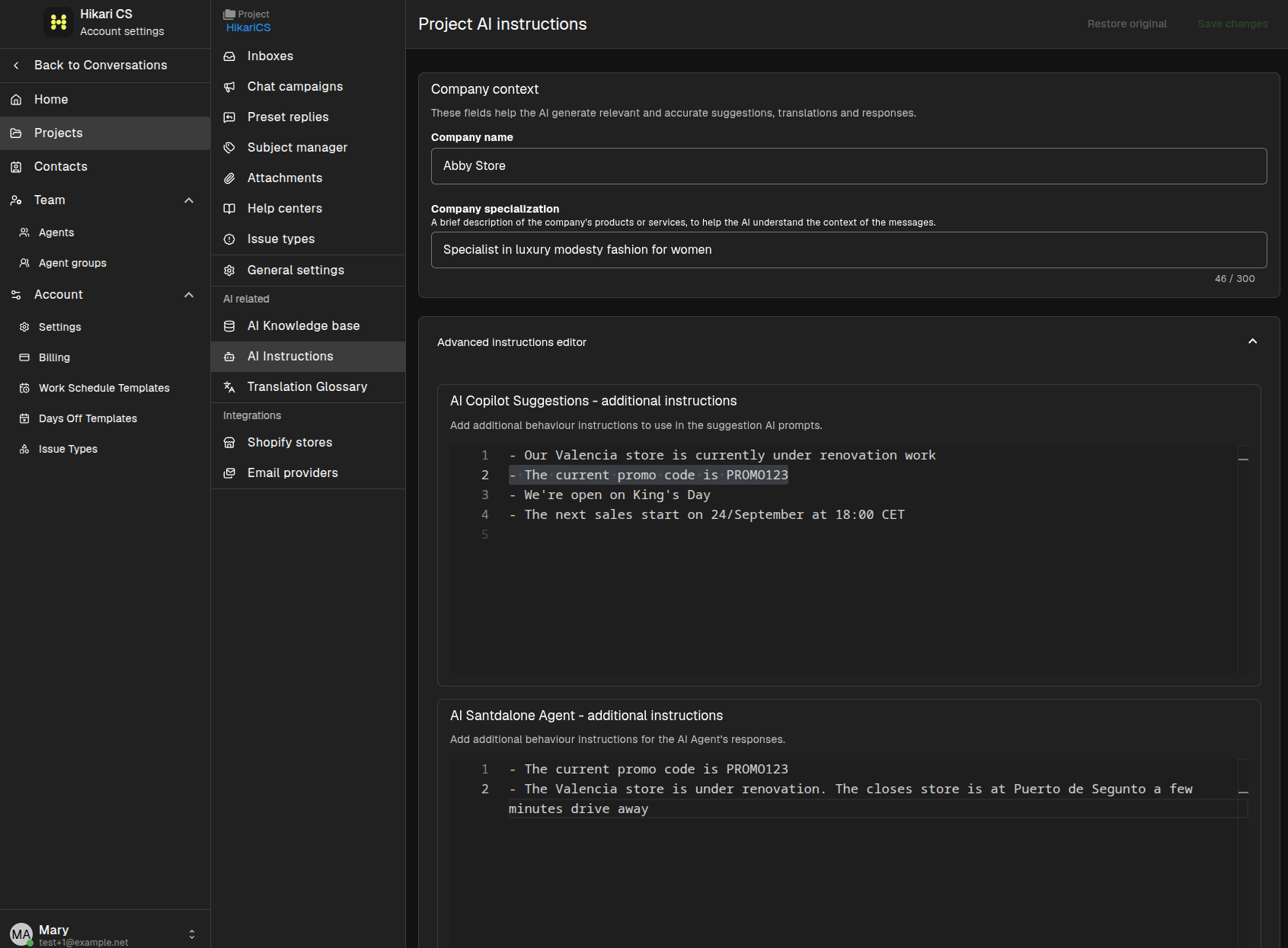
Make sure "Company Name" and "Company Specialization" are filled out and match your business. You can also add extra instructions by clicking on the "Advanced instructions editor" to fine-tune the AI Copilot and the AI Standalone Agent to improve their replies to visitors.
Build the AI knowledge base
Add articles to the AI knowledge base so the bot can answer common questions about your business.
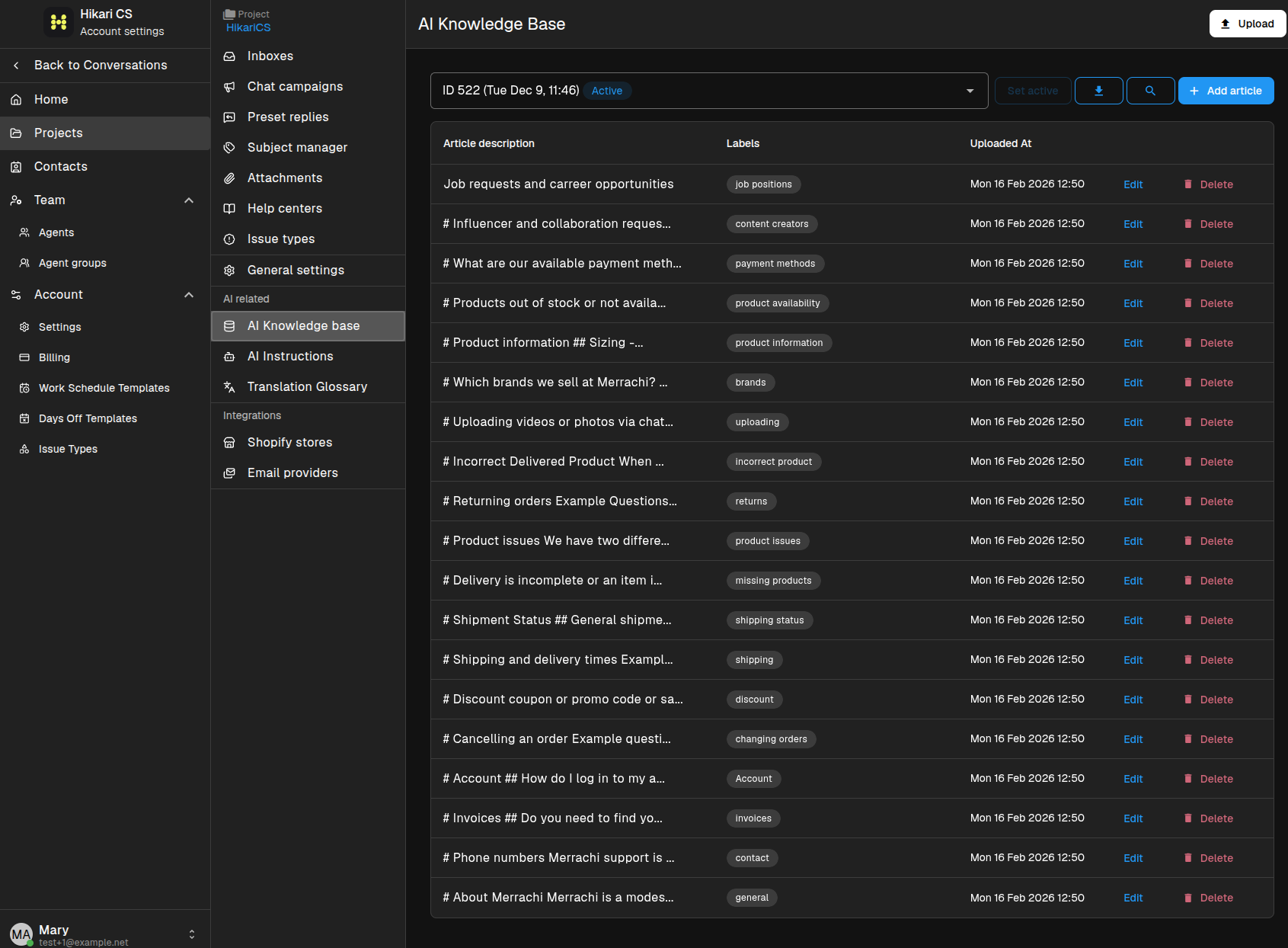
The bot will use these articles together with the AI Instructions when replying to visitors.
Summary
- The AI Agent standalone bot is configured per website widget inbox.
- Enable it in the widget's AI Agent assistant section.
- Fine-tune replies with AI Instructions in the project general settings.
- Feed the bot with articles from the AI knowledge base.