Get started with Help Centers
Updated at 2026-07-26
A Help Center is a self-service support site where your customers can browse articles and find answers. Each project can have one Help Center.
Open the Help Centers page
Go to your project settings and open Help centers.
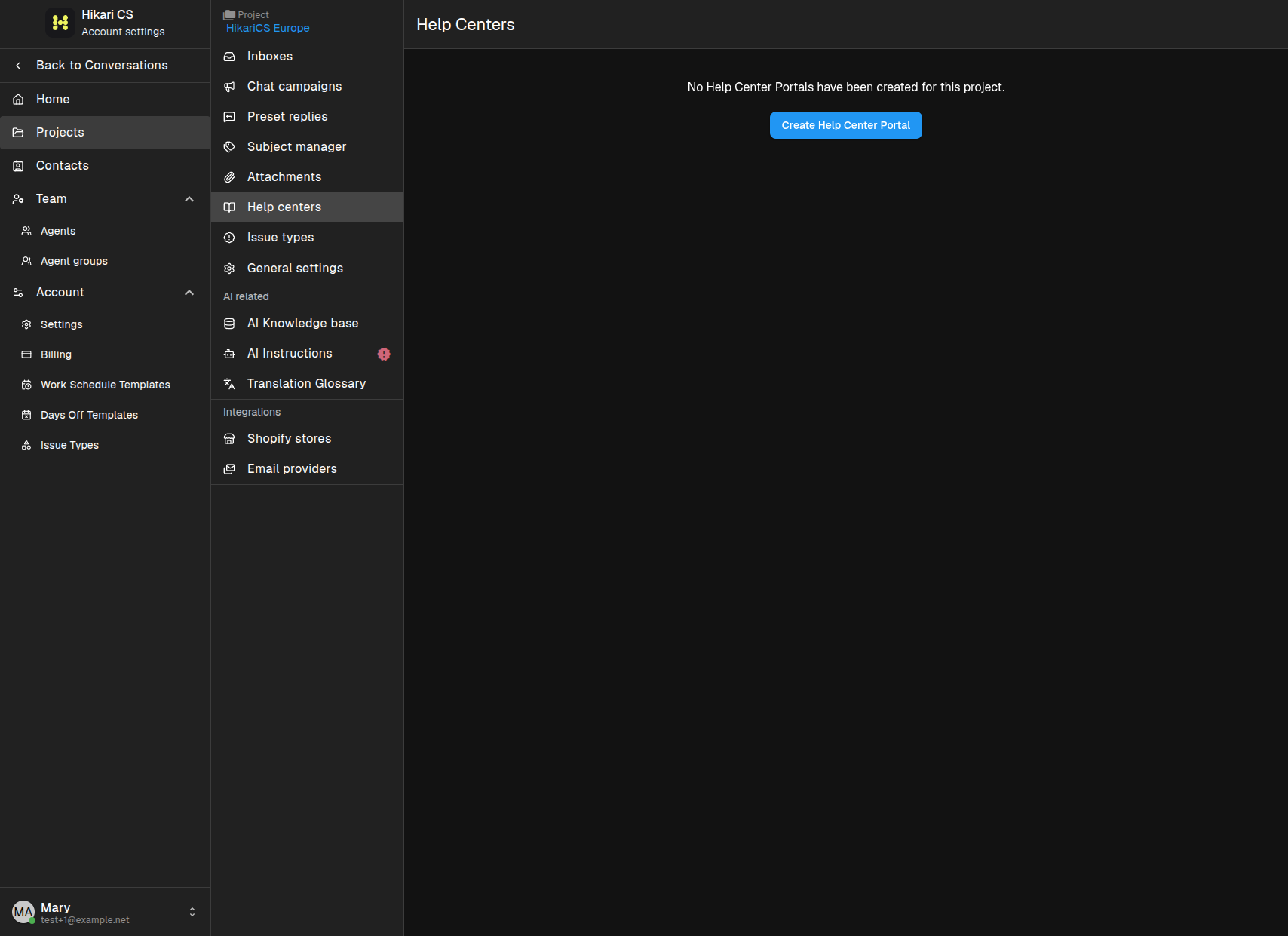
If no Help Center exists yet, you see a Create Help Center Portal button.
Create your Help Center
Click Create Help Center Portal. Fill in the details:
- Name — the title shown on the Help Center home page.
- Main language — the default language for the Help Center.
- Header text — the welcome message on the home page.
- Public subdomain — the address we provide, such as
your-name.hcs-helpcenter.com. - Custom domain (optional) — use your own domain instead of the provided subdomain.
- Logo and Custom main color — match the Help Center to your brand.
- Enable widget in Help Center — let visitors start a chat from the Help Center.
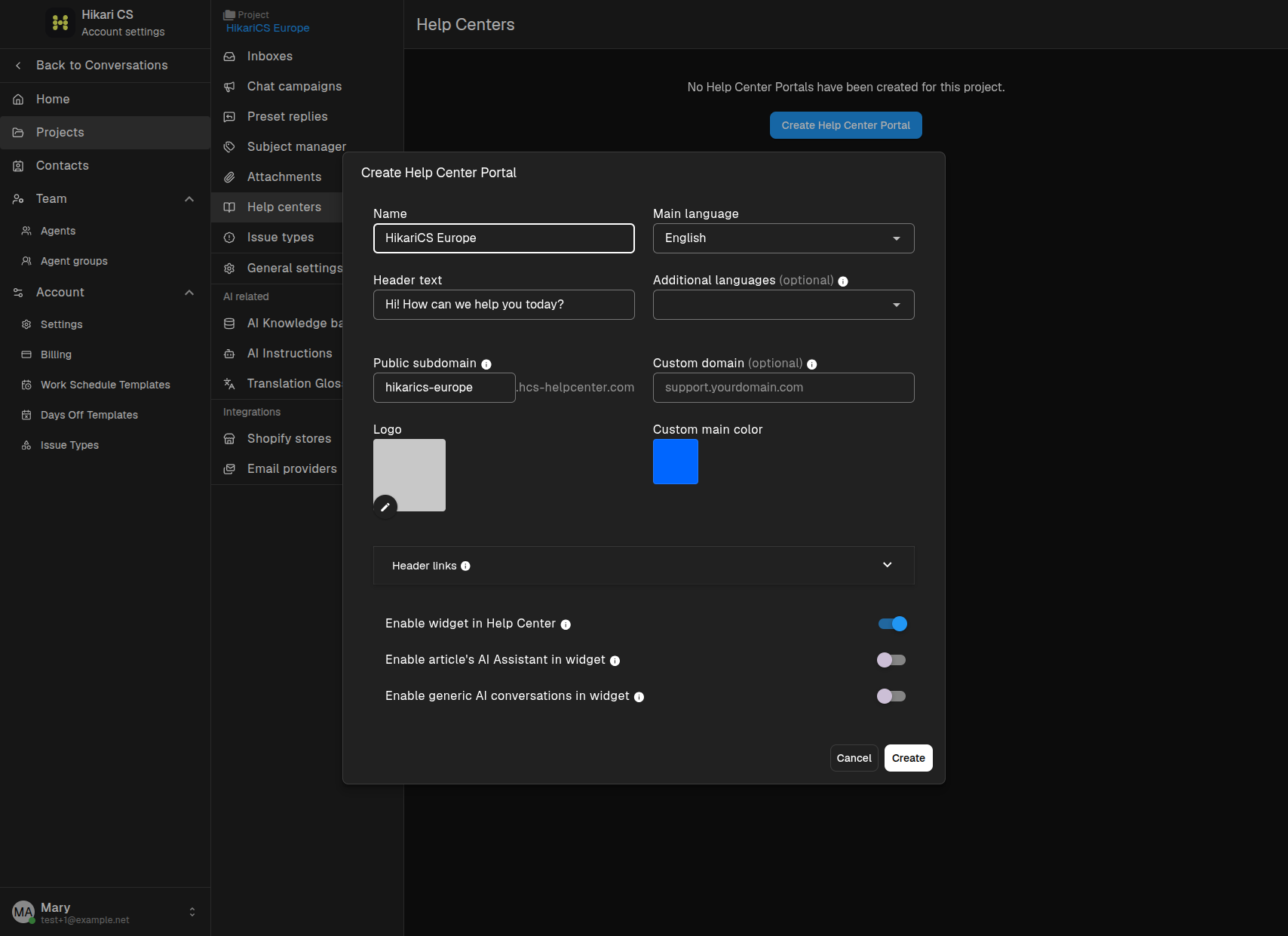
Click Create when you are ready.
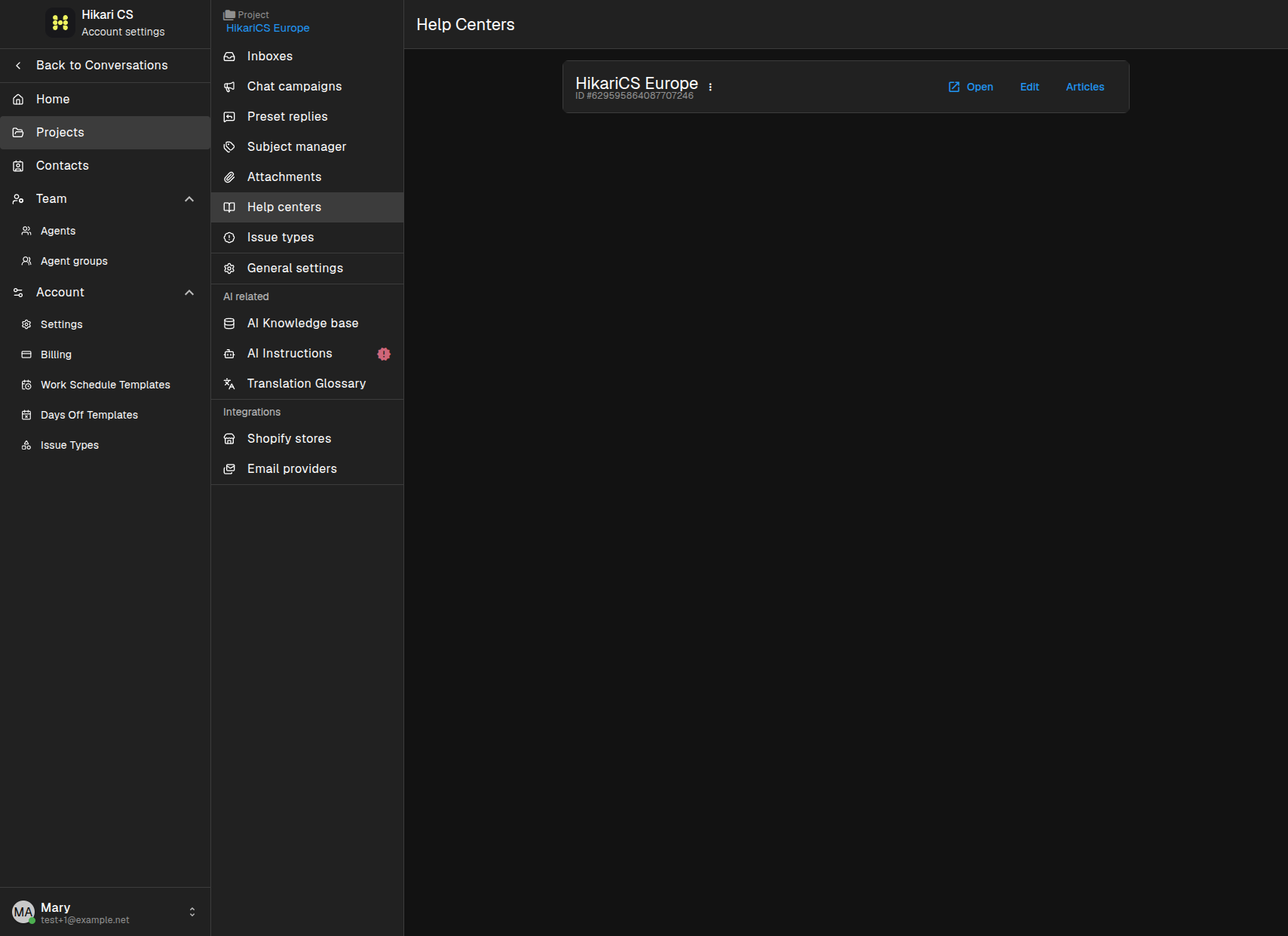
Delete a Help Center
If you want to remove a Help Center completely, click the three-dot menu next to it and choose Delete. Confirm the action when prompted.
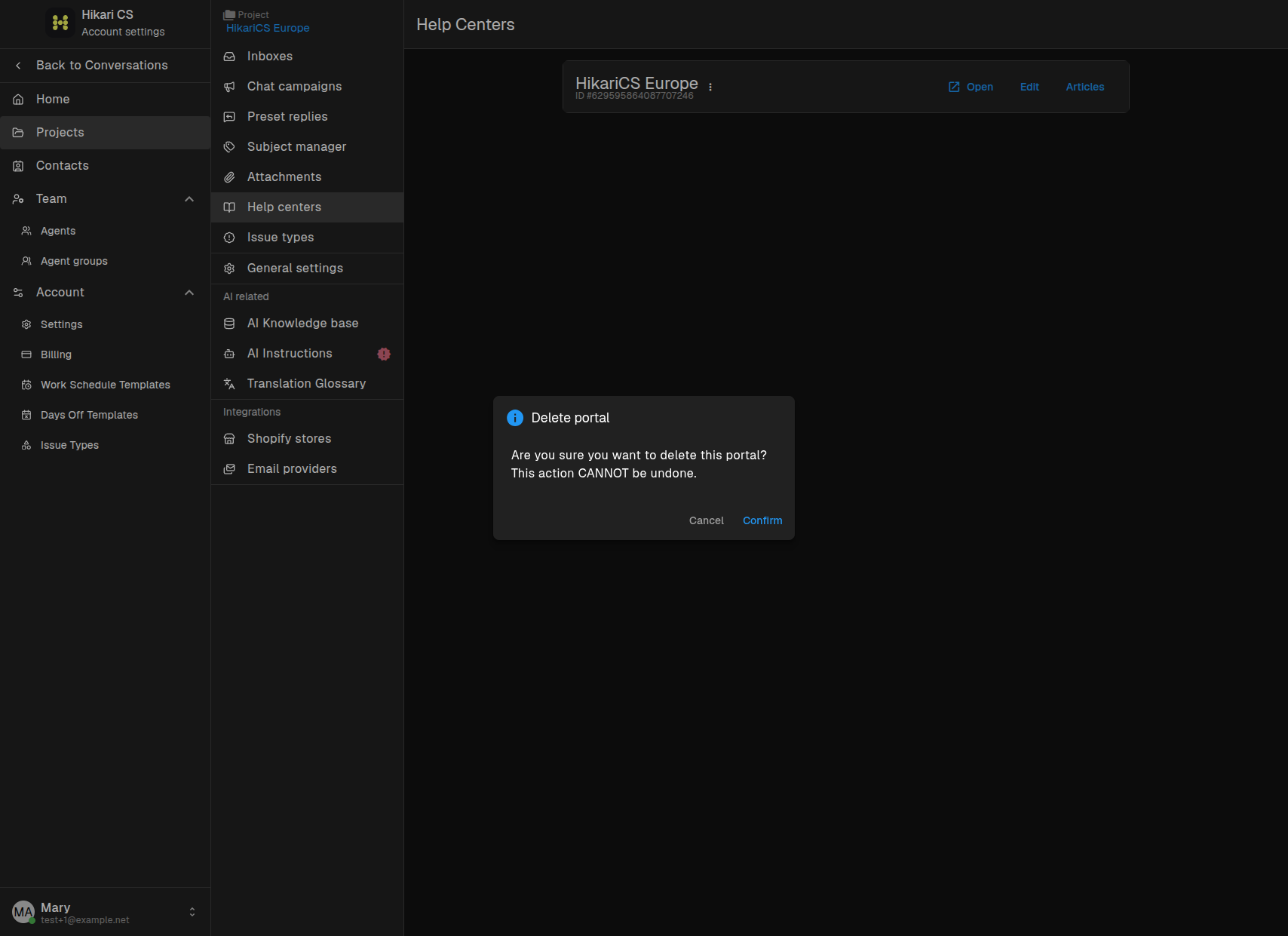
Deleting a Help Center removes all its categories and articles. This action cannot be undone.
Summary
- Open Help centers in your project settings.
- Click Create Help Center Portal and fill in the details.
- Use the provided subdomain or add your own custom domain.
- Delete a Help Center from the three-dot menu if you no longer need it.