When a campaign will be triggered (and what if you click it away)
Updated at 2026-07-26
A chat campaign is triggered only when all of its conditions are met. Understanding these conditions helps you create campaigns that reach visitors at the right moment.
Trigger conditions
For a campaign to fire, the visitor must:
- Be on a page whose URL matches one of the campaign URL rules.
- Stay on that page for at least the configured number of seconds.
- Be using a device included in the campaign settings (all, desktop, or mobile).
- Be visiting during business hours, if Trigger only during business hours is enabled.
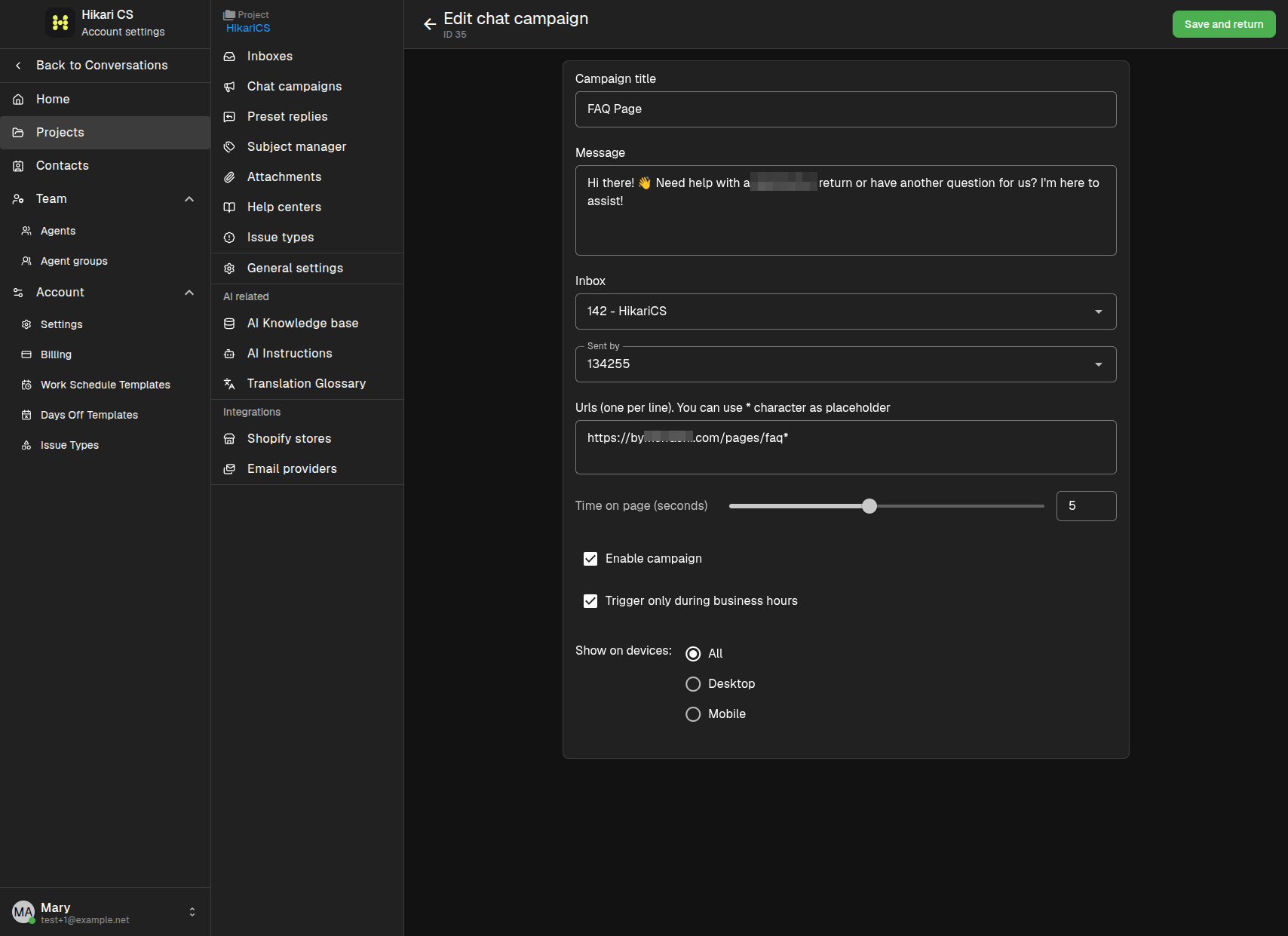
URL matching
URLs are matched in the order they are listed. You can use * as a wildcard to cover multiple pages:
https://example.com/products/*matches every page under/products/.https://example.com/pages/faq*matches/pages/faq,/pages/faq-general, and similar URLs.
If two campaigns match the same page, the first matching campaign in the list is the one that triggers.
What happens when a visitor dismisses the campaign
When a campaign message appears, the visitor can close or ignore it. Dismissing a campaign prevents the same message from appearing again during that visit, so visitors are not interrupted repeatedly while they browse.
Preview and test your campaigns
The easiest way to see a campaign in action is to use the Preview button in the website widget inbox settings. Open the preview page, navigate to a URL that matches your campaign, and wait for the configured number of seconds. If the campaign is enabled and the conditions are met, the message will appear.
Summary
- A campaign needs a matching URL, enough time on page, the right device, and (optionally) business hours.
- Use wildcards to cover groups of pages.
- Closing a campaign stops it from repeating during the same visit.
- Use the widget Preview to test campaigns before enabling them on your live site.