View a contact's conversation history
Updated at 2026-07-26
Customers often write more than once. When the contact of the current conversation has other conversations, a red button in the conversation header tells you: "Contact has N unread conversations (out of M)".
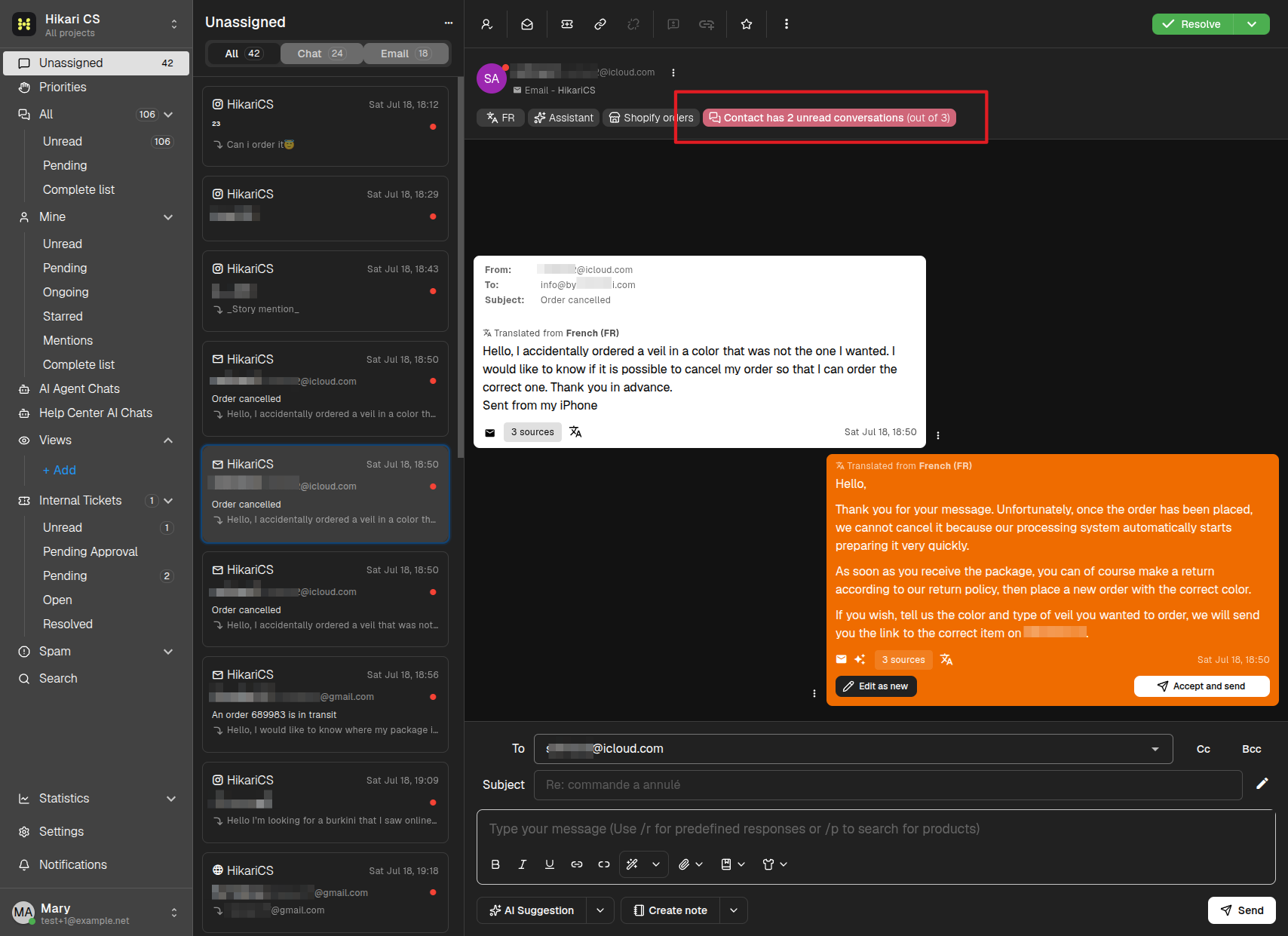
Open the history
Click that button to open the Contact Conversations drawer on the right side of the screen.
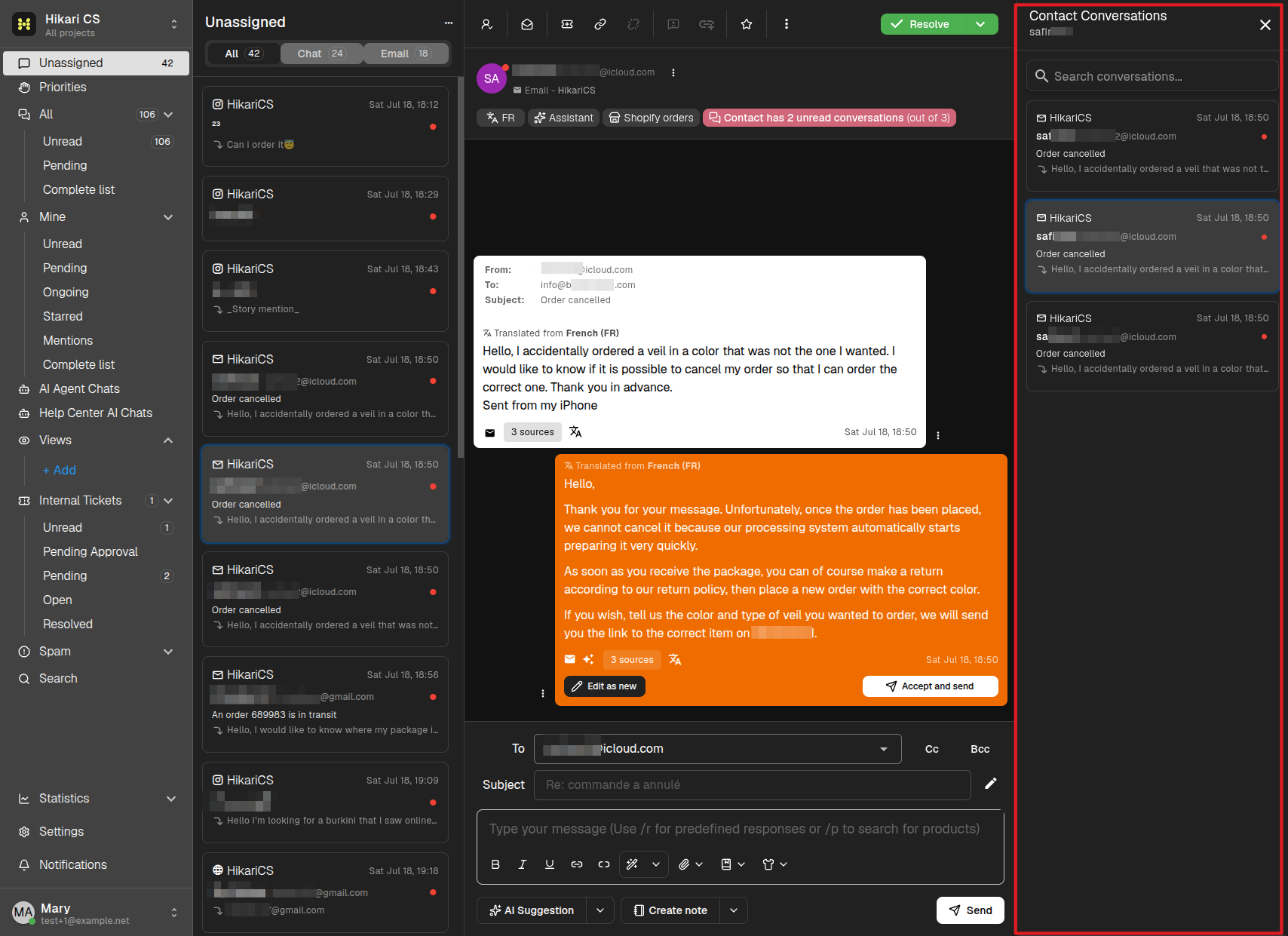
The drawer shows:
- A search field to filter the contact's conversations.
- Every conversation belonging to this contact, with its inbox, date, subject, and a preview of the last message. Unread conversations show a red dot.
- The conversation you are currently viewing, highlighted in the list.
Click any conversation in the drawer to open it. Click the X in the top-right corner of the drawer (or the same header button again) to close it.
Tip: checking the history before replying helps you avoid asking the customer for information they already gave you.