Reporting metrics overview
Updated at 2025-05-06
Hikari CS offers you a simple and effective way to view the performance of our team throughout a month. You can select the date filter on top to view either your daily or monthly metrics. This is a great way to have real-time reports!
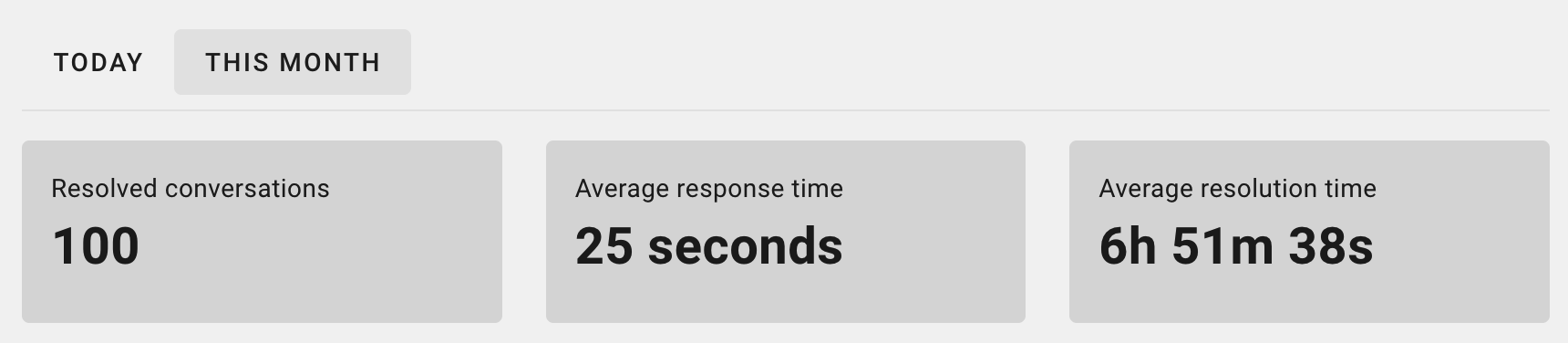
After logging into your personal portal, you will immediately see the following metrics:
-
Closed conversations: this is the amount of conversations our team has resolved in the selected time period.
-
CSAT Score: after resolving a conversation the customer can choose between 5 emojis ranging from unhappy to very happy. The percentage show in your reports shows how many of your customers chose the top 2 emojis: happy and very happy.
- Important side note: an unhappy selection doesn't necessarily mean that our team did a bad job. A customer that had to pay for his/her return label, while expecting a free return could be unhappy and therefore reflect this in their review. This is however valuable information for both you and us, to further evaluate and improve our service and expectations towards customers!
-
Average response time: this is the average amount of time our team took before sending the first reply to your customer's question.
-
Average resolution time: this is the average amount of time our team took to close the ticket. Important to know is that customers will most of the times not answer after our given answer. But as a best practice we always ask the customer if there is anything else they need help with, and therefore we often wait to make sure there isn't any before closing the conversation.
-
Conversions after conversations: if your webshop is connected to our platform we'll measure how many customers made a purchase after talking with our agents. This is a great indicator to see how your service affects your sales.