Priority inbox settings
Updated at 2026-07-26
Priority inbox decides which conversations appear at the top of your dashboard. The settings are configured at account level, but individual agents can override them.
Configure account-level priorities
- Go to Settings > Account > Settings.
- Find the Priorities settings section.
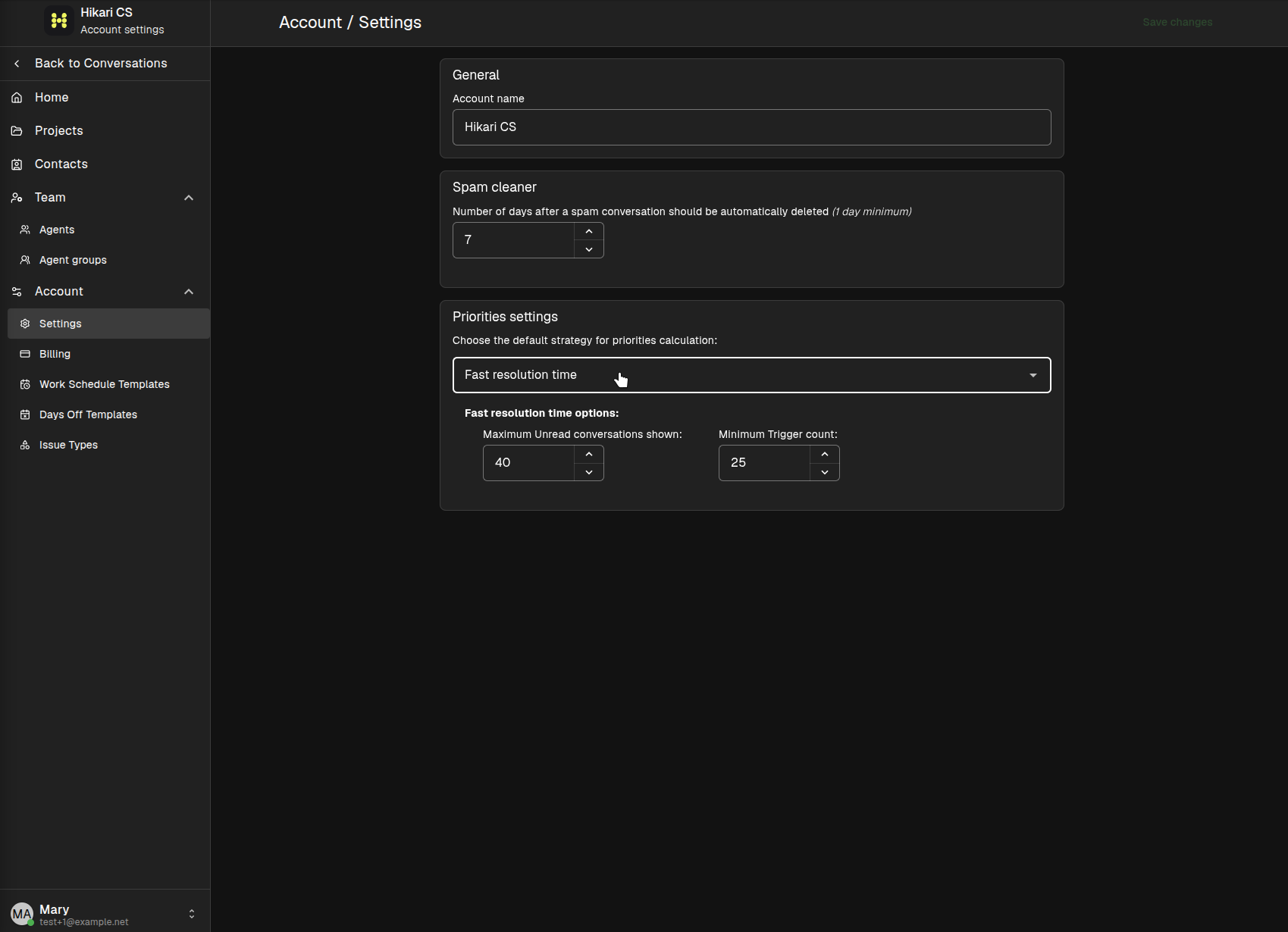
Choose the strategy that best fits your workflow. The dropdown offers different calculation methods, and each method exposes its own options. For example, the Fast resolution time strategy lets you set the maximum unread conversations shown and the minimum trigger count.
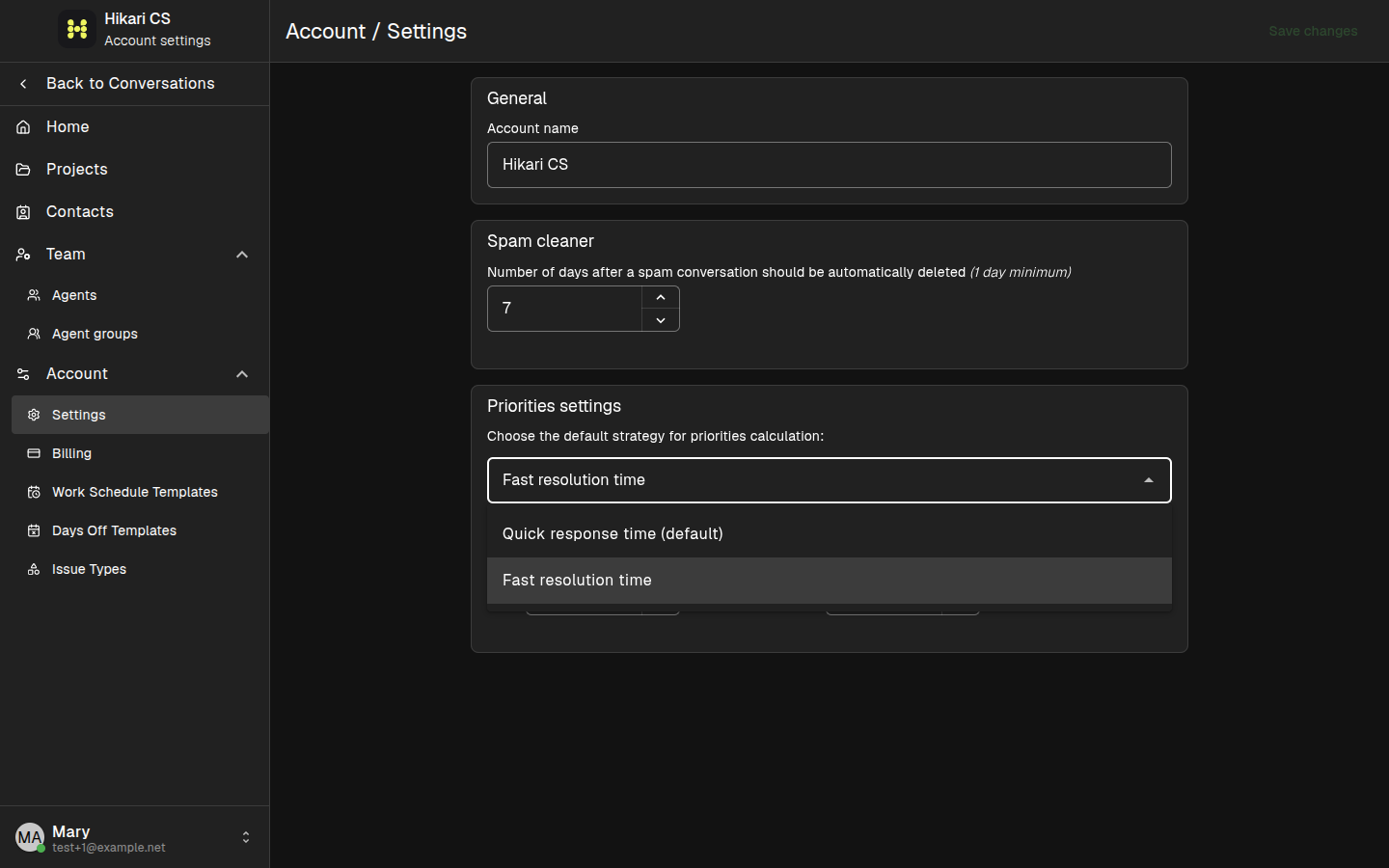
Override priorities per agent
Account-level settings apply to everyone by default, but you can override them for a specific agent:
- Go to Settings > Team > Agents.
- Open the three-dot menu next to an agent and choose Edit.
- Check Override account priorities settings.
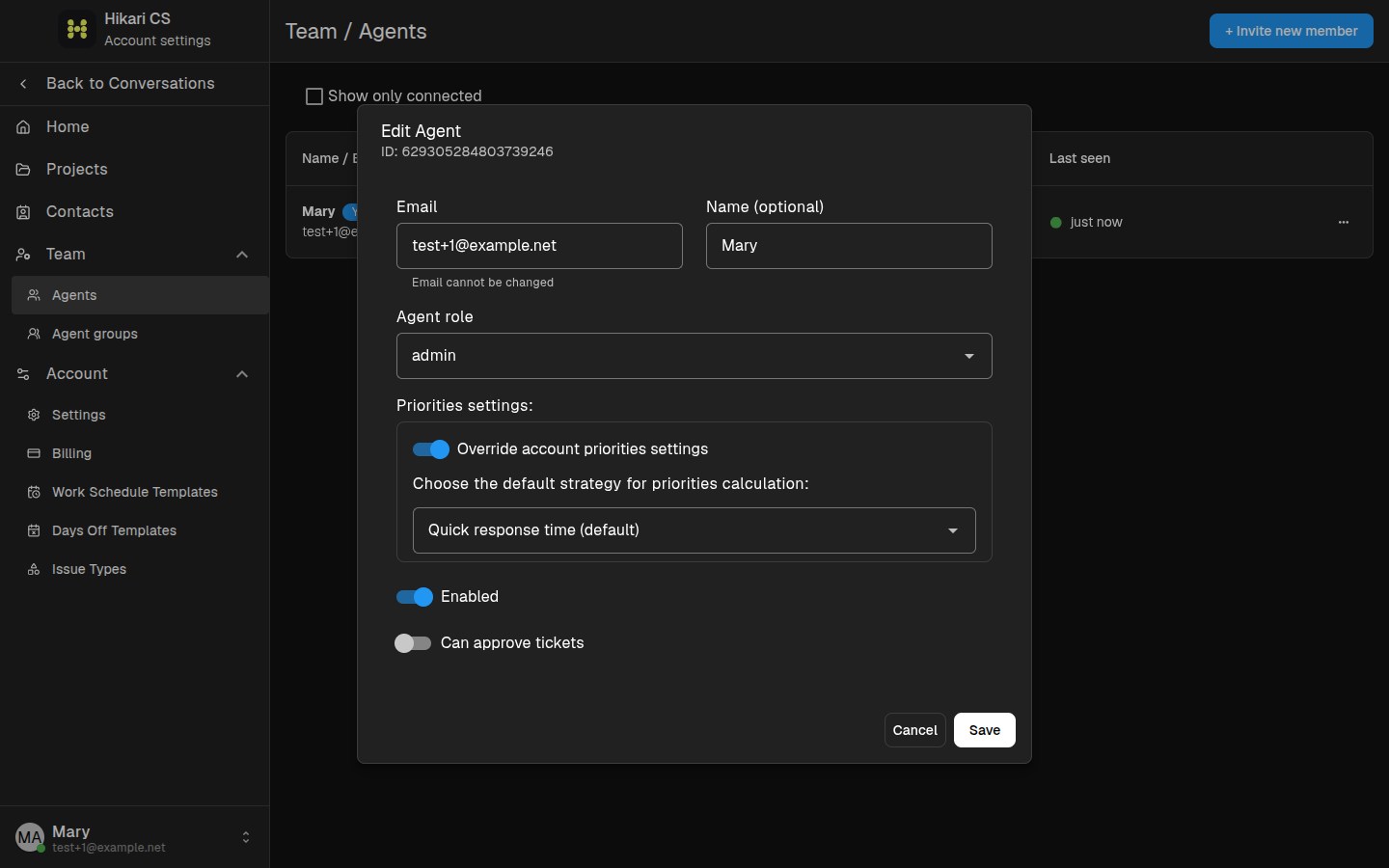
When this option is enabled, that agent uses their own priority configuration instead of the account default.
View prioritized conversations
In the conversations dashboard, open the Priorities filter in the left menu. The list shows conversations ordered by the active priority strategy.
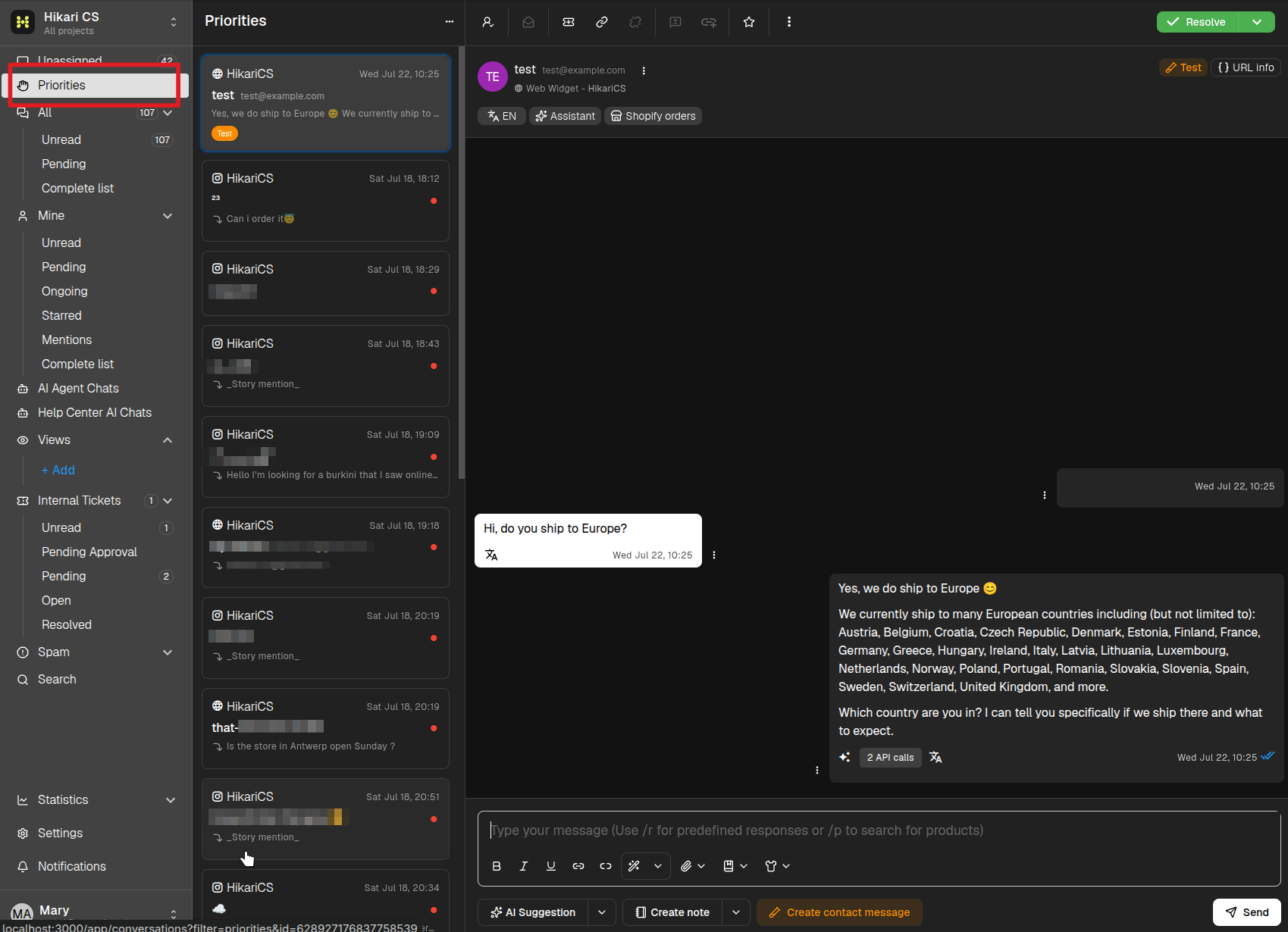
Priorities help your team focus on the conversations that need attention first. Choose a strategy that matches how you measure urgency, and adjust the thresholds as your volume changes.