How to create re-usable attachments
Updated at 2026-07-26
Re-usable attachments are files you upload once and then send again in any conversation. They are useful for documents, images, or PDFs you share regularly, such as return instructions or size guides.
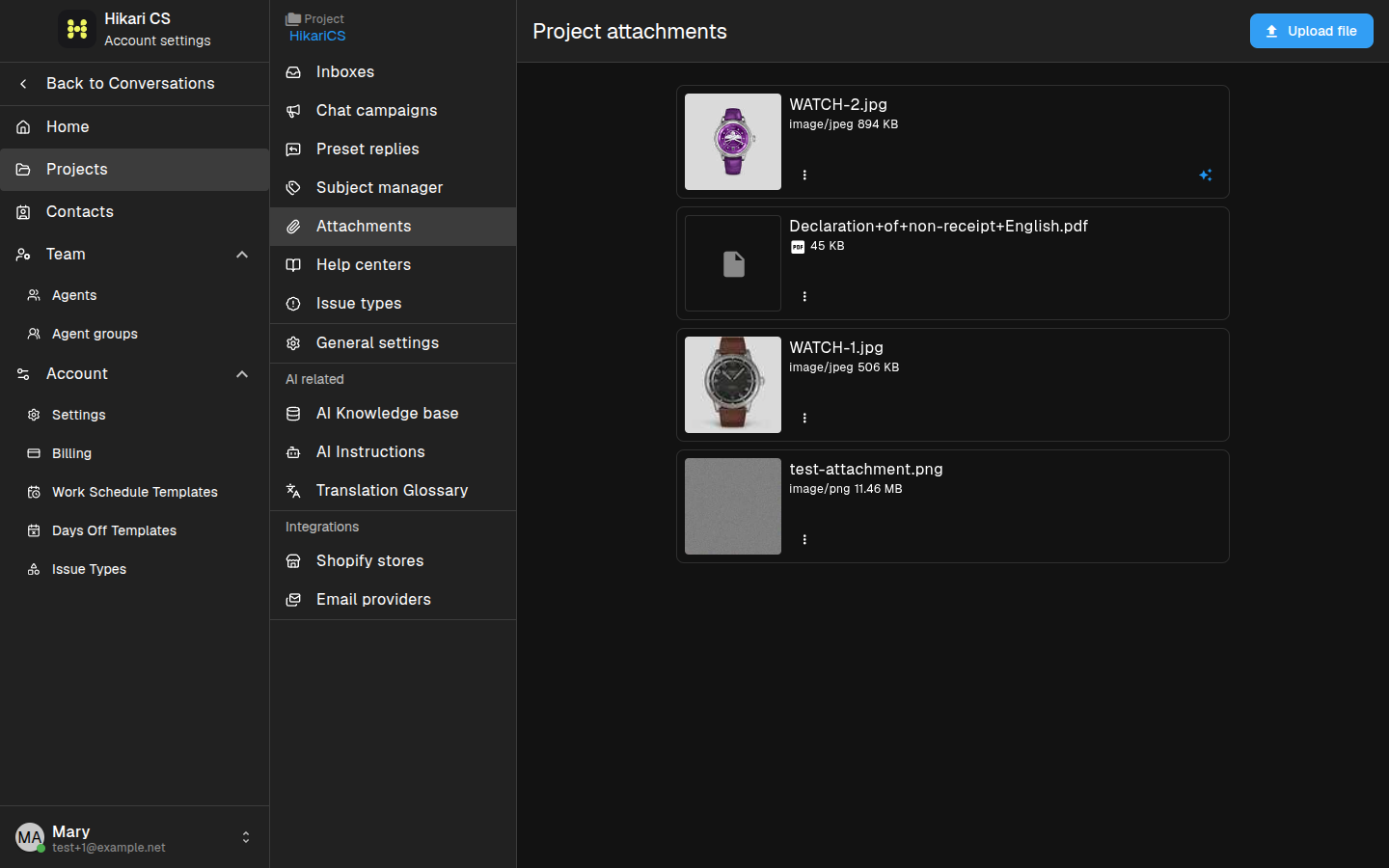
Open the Attachments page
- Go to Settings and select your project.
- Click Attachments in the project menu.
Upload a re-usable attachment
- Click Upload file in the top-right corner.
- Select the file from your computer.
- The file appears in the attachments list once the upload finishes.
Use a re-usable attachment in a conversation
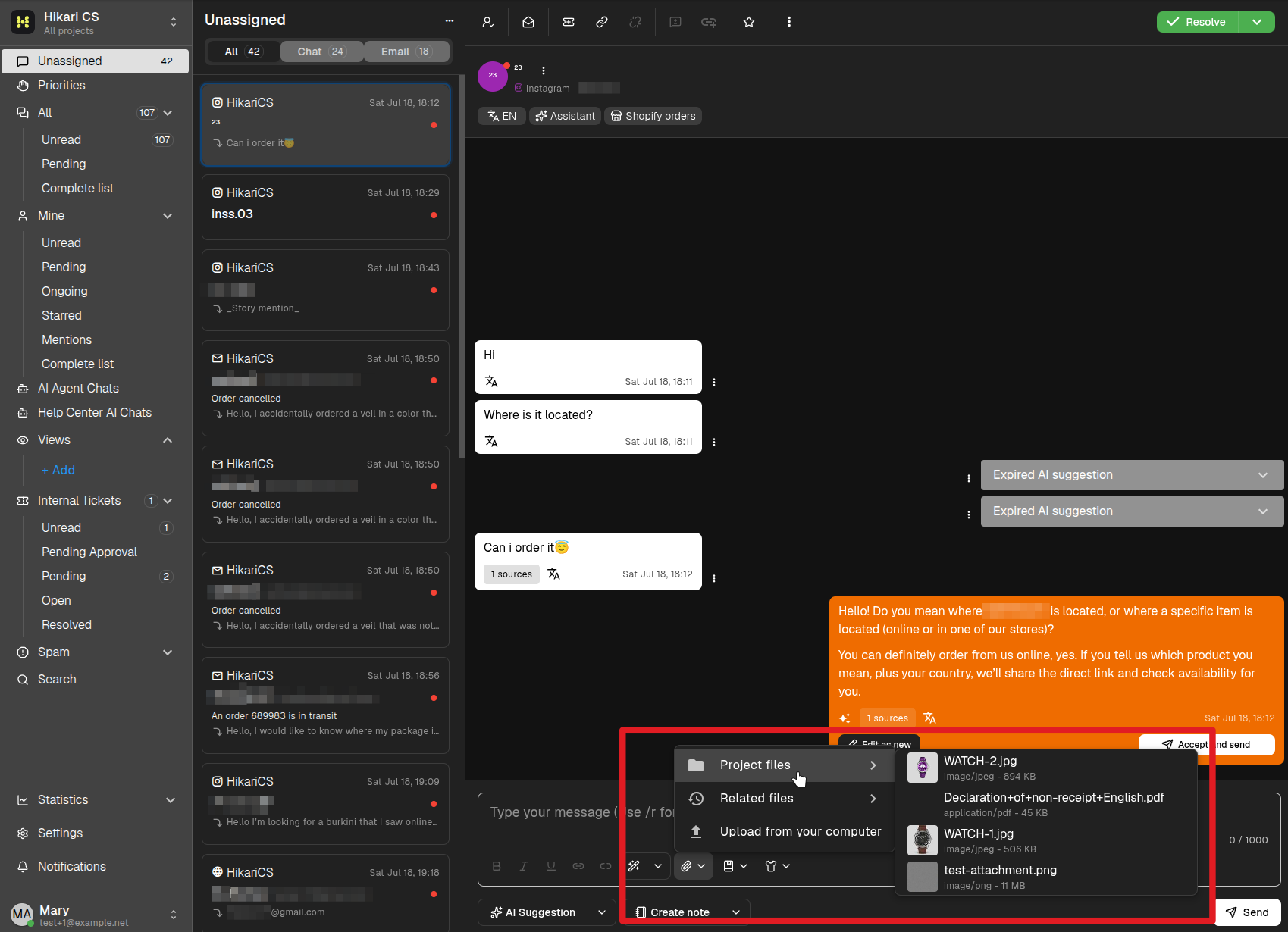
When you are in a conversation, open the attachment picker and choose a file from the re-usable attachments list. The file is inserted into the composer and ready to send.
Re-usable attachments are stored per project, so every agent in the project can use them.