How to Auto Describe Images
Updated at 2026-07-26
Auto Describe Images lets the AI automatically generate descriptions for image attachments in conversations. The descriptions give the AI more context when it suggests replies or answers questions.
Enable Auto Describe Images
Open the project general settings and turn on Auto describe images in the AI Settings section.
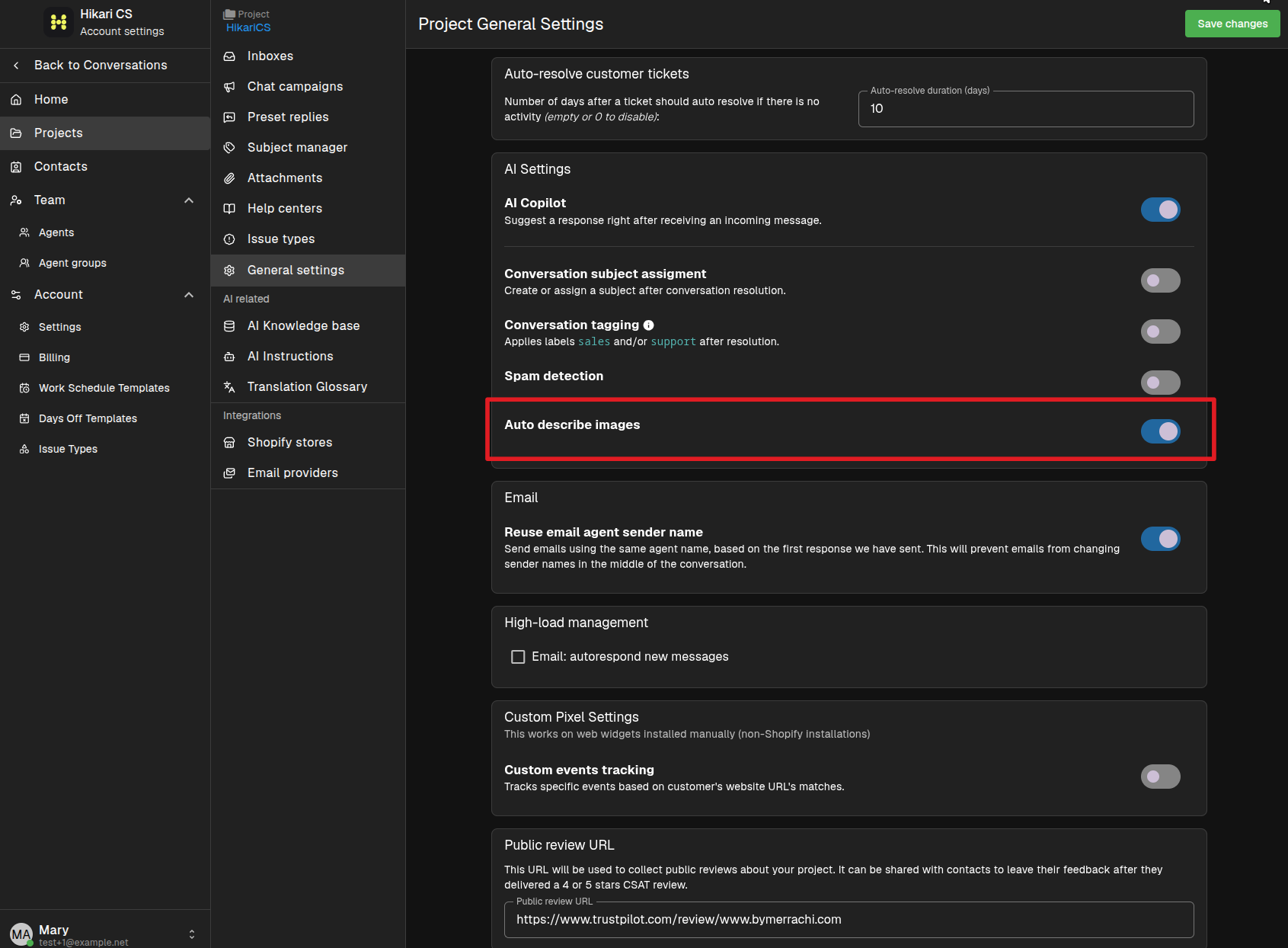
Once enabled, the AI will describe every new image attachment that arrives in the project's conversations.
View and edit a description
When an image has a description, you can review or change it. Open the attachment options menu and select Edit description.
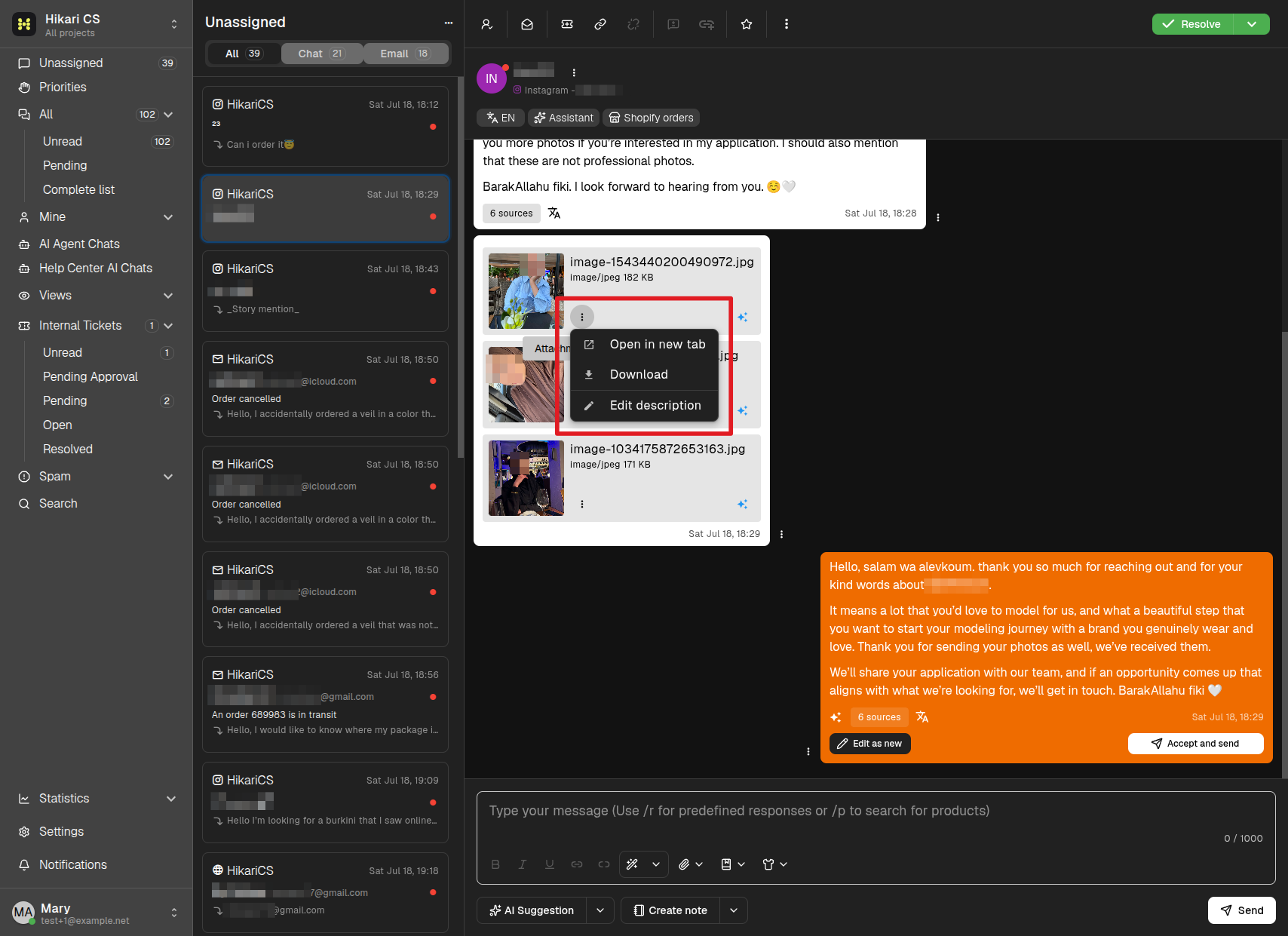
The description appears in the edit dialog. If the image arrived after the feature was enabled, the AI-generated description is already filled in.
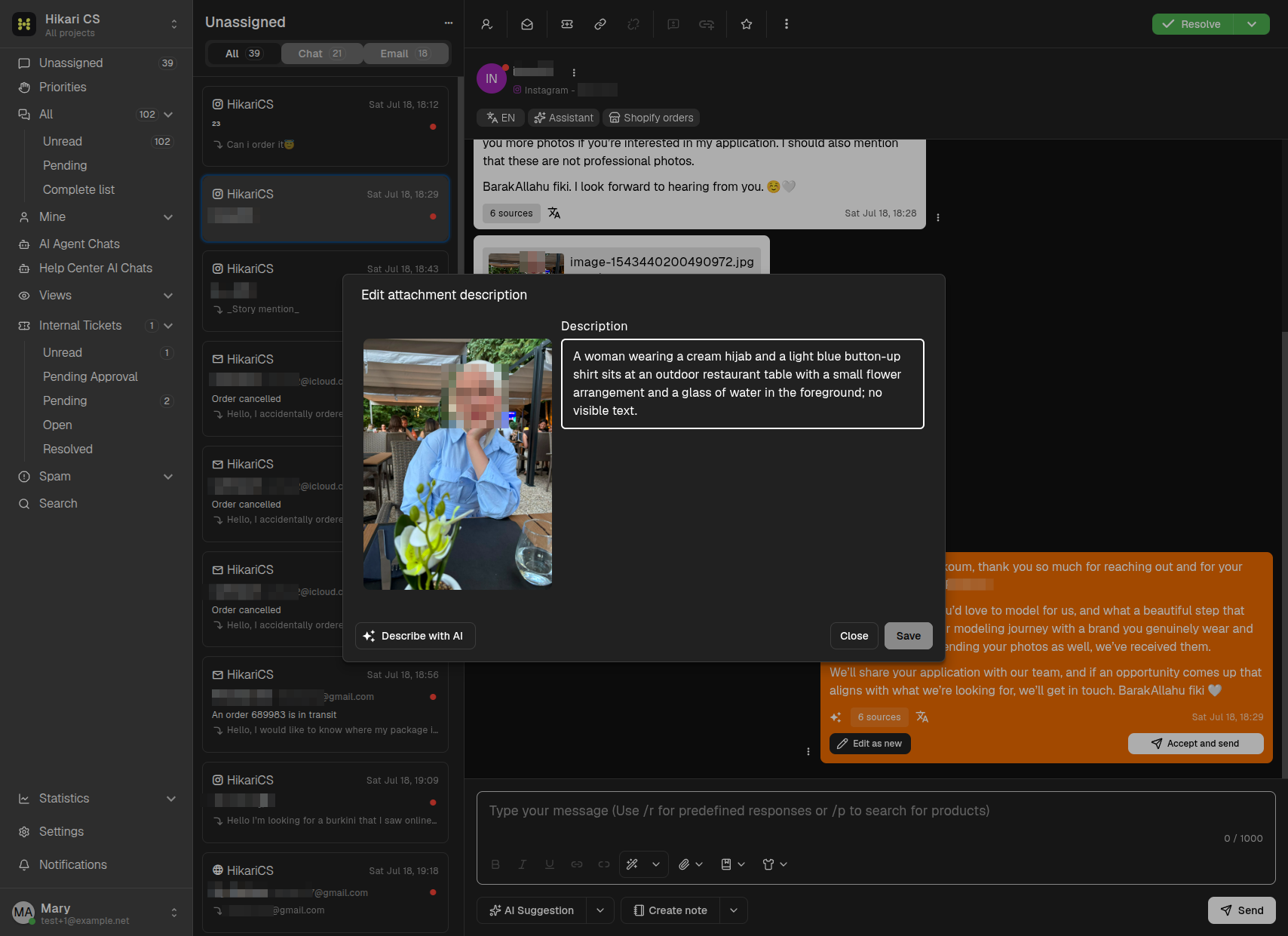
You can:
- Edit the description manually.
- Click Describe with AI to regenerate the description.
- Save your changes.
Summary
- Enable Auto describe images in the project general settings.
- The AI generates descriptions for incoming image attachments.
- Open an attachment's options and select Edit description to review or change the text.