Help Center translations
Updated at 2025-03-25
The help center is designed to easily support multiple languages, without needing manual translations. You can choose up to 4 languages to add from the settings menu, and your articles will be available in those languages. Together with the default language you’ll have a total of 5 supported languages.
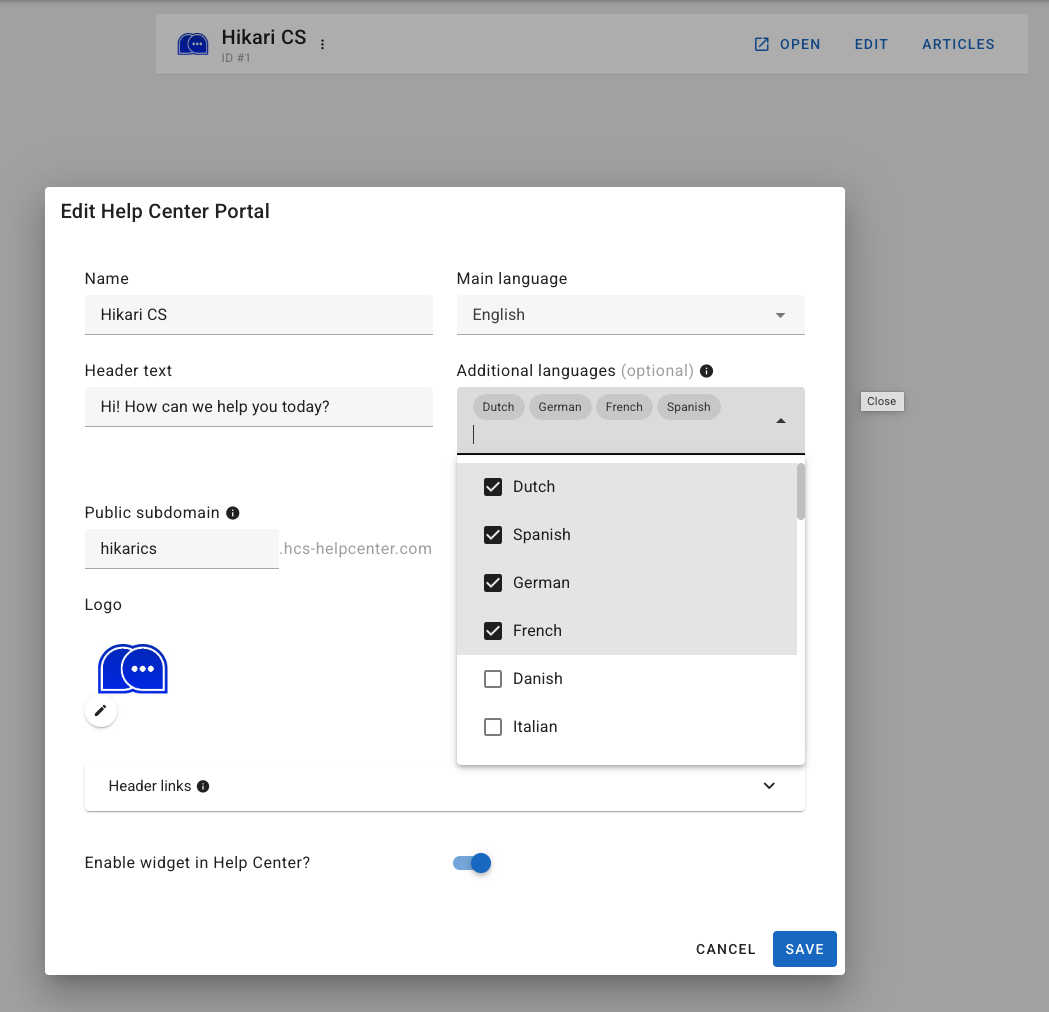
How to Set Multiple Languages
You can configure the supported languages for your help center in its settings. You’re allowed to select up to 4 additional languages.
How Long Does It Take to Translate a Help Center Article
Once you've created, edited, and saved an article, it's queued for translation, which is triggered 5 minutes after your last save. You can refresh your browser or clear the cache to view the latest translations.
How Can a Visitor Change the Language
Visitors can change the language on your live help center page by clicking the flag icon in the top right corner. 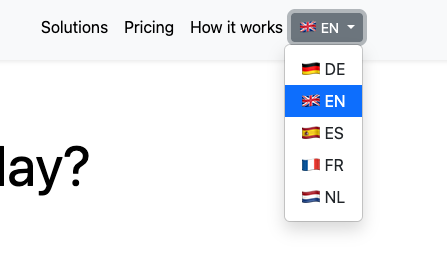
Which Language Model Do You Use to Translate Articles?
We use OpenAI’s latest GPT model by default to generate translations, ensuring the highest quality. If you have questions about the models used, please reach out to your account manager.