Create a note and a private note in a conversation
Updated at 2026-07-26
Notes let you add internal information to a conversation without the customer seeing it. There are two kinds of notes:
- Note — Visible to your whole agent team.
- Private note — Visible only to you, the agent who created it.
Create a note
- Open the conversation.
- Type the note text in the composer.
- Click Create note (instead of Send).
The note is added to the conversation stream and stays visible to the team, but the customer never sees it.
Create a private note
- Open the conversation.
- Type the note text in the composer.
- Click the chevron next to the Create note button and choose Create private note.
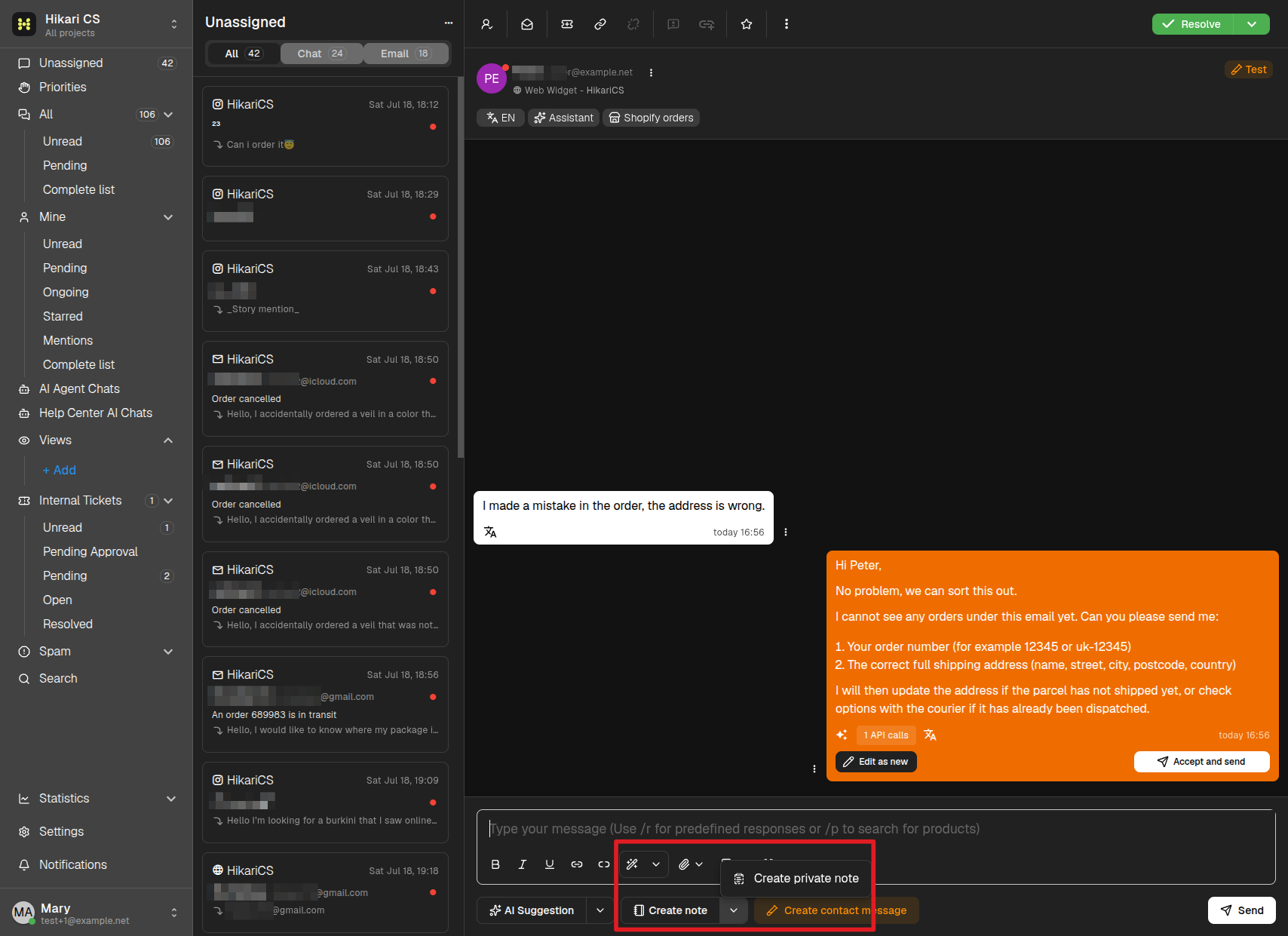
Private notes work exactly like normal notes, except only you can read them — they are useful for personal reminders, follow-ups, or drafts you do not want to share yet.