Create an internal summary for a conversation
Updated at 2026-07-26
Long conversation? Let the AI recap it for you. The internal summary condenses the whole thread into the reason for contact, the solutions accepted so far, and the open action items — perfect for handovers or for getting up to speed quickly.
Generate the summary
- Open the conversation.
- In the composer at the bottom, click the chevron next to the AI Suggestion button.
- Choose Generate conversation summary.
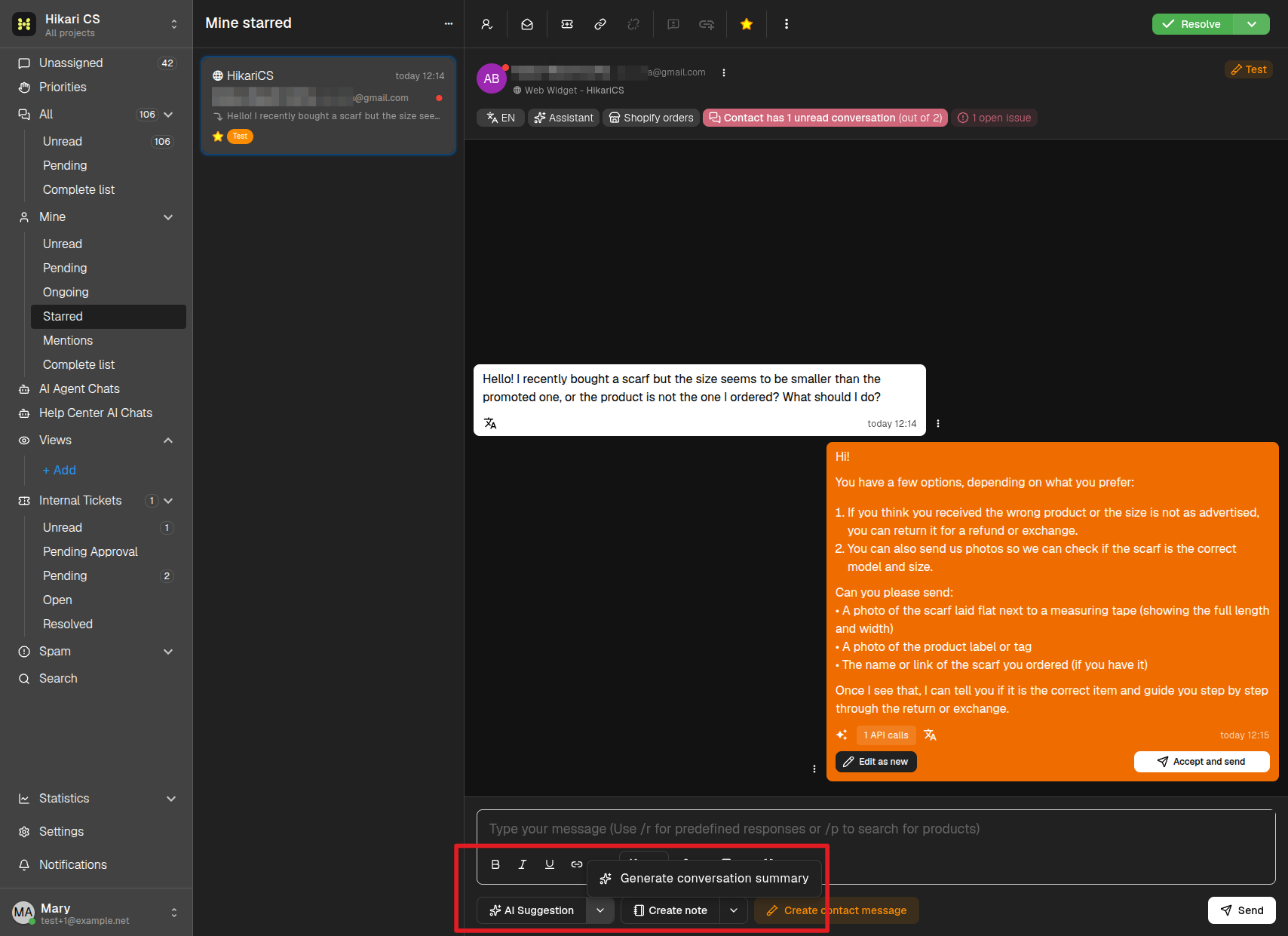
Wait a few seconds while the AI reads the conversation.
What you get
The summary is added to the conversation as an internal note (yellow background), visible to your team but not to the customer. It is organized in three parts:
- Reason for Contact — Why the customer reached out.
- Solutions Accepted — What has already been agreed on.
- Action Items — What still needs to happen, with an open/pending state for each item.
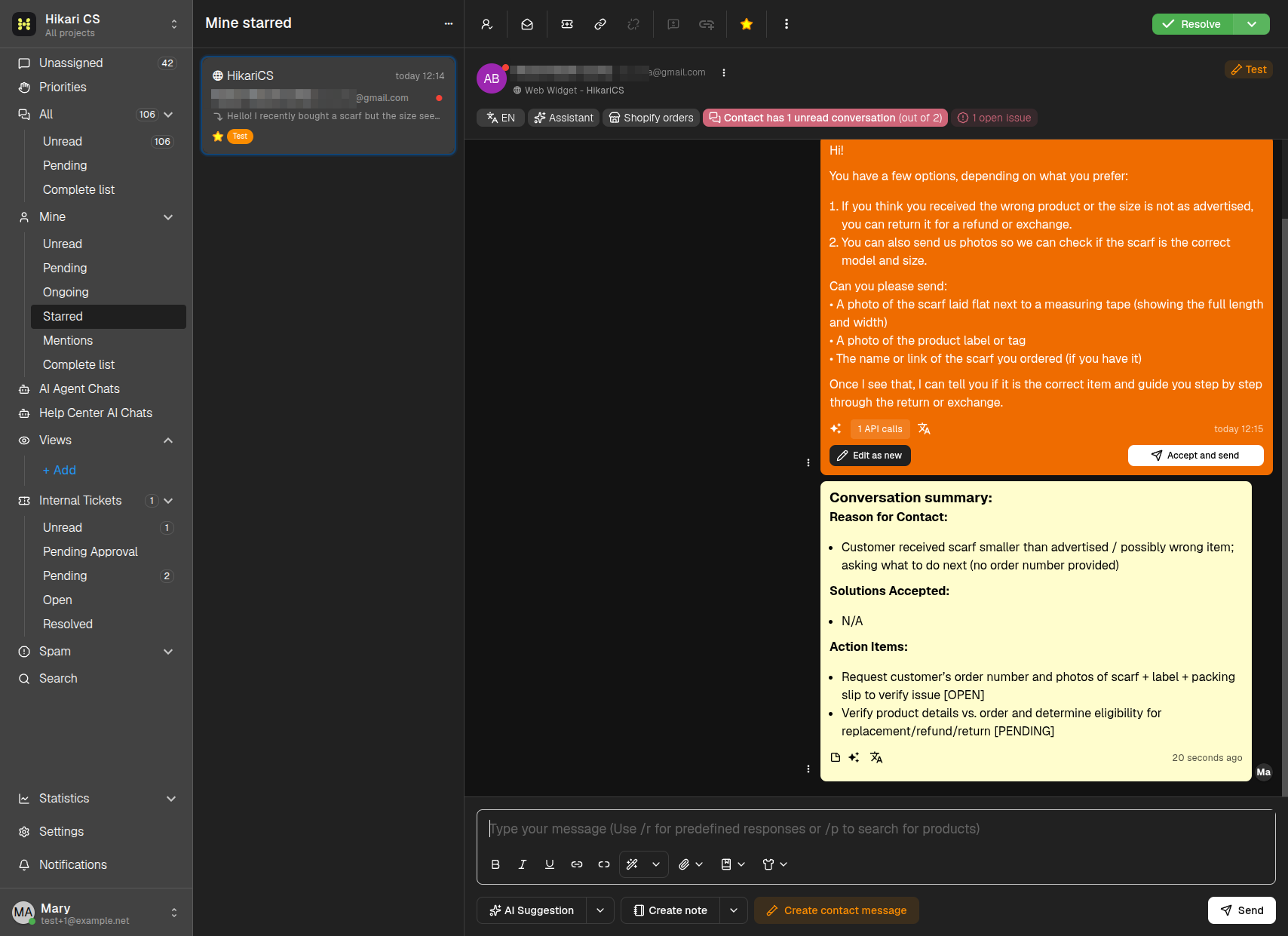
You can generate a new summary at any time — for example after the conversation has evolved — by repeating the same steps.