Automatic review requests
Updated at 2026-07-26
Automatic review requests encourage happy customers to leave a public review. When the system detects a positive conversation, the CSAT email includes your public review link at the bottom.
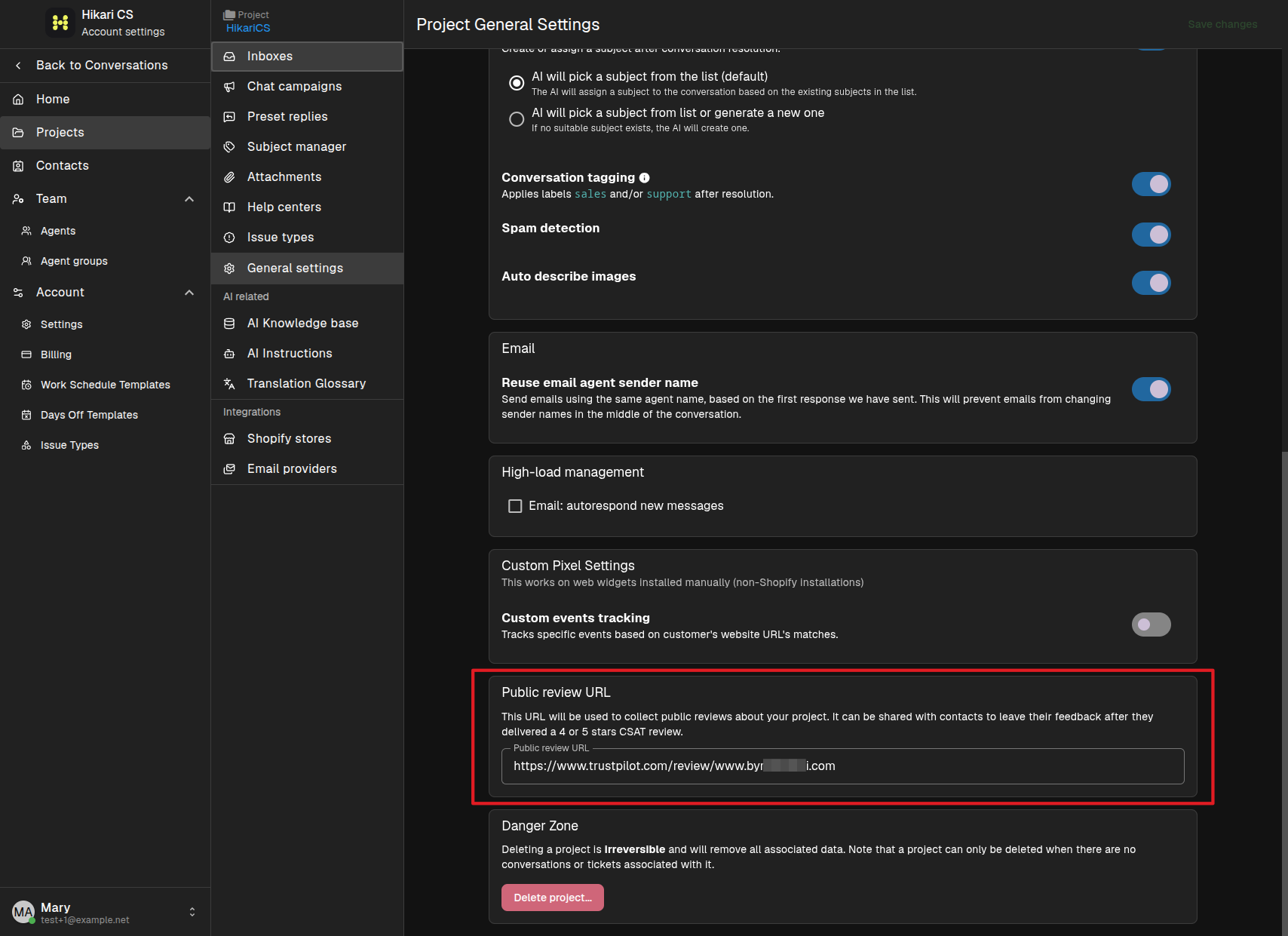
Set your public review URL
- Go to Settings > Projects and select your project.
- Open General settings.
- Find the Public review URL section.
- Enter the URL where customers can leave a review, for example your Trustpilot page.
How it works
When a contact receives a CSAT email after a positive interaction and gives a 4 or 5 star rating, the email also includes the public review link. This makes it easy for satisfied customers to share their feedback publicly.
The review URL is only added to CSAT emails for conversations where the sentiment is predicted to be good. Make sure CSAT collection is enabled in your web widget settings.